Improve compliance, quality control, safety, and preventative maintenance with digital inspections
Eliminate paper, enhance processes, and boost traceability with comprehensive, structured AI quality checks and workflows for connected workers.
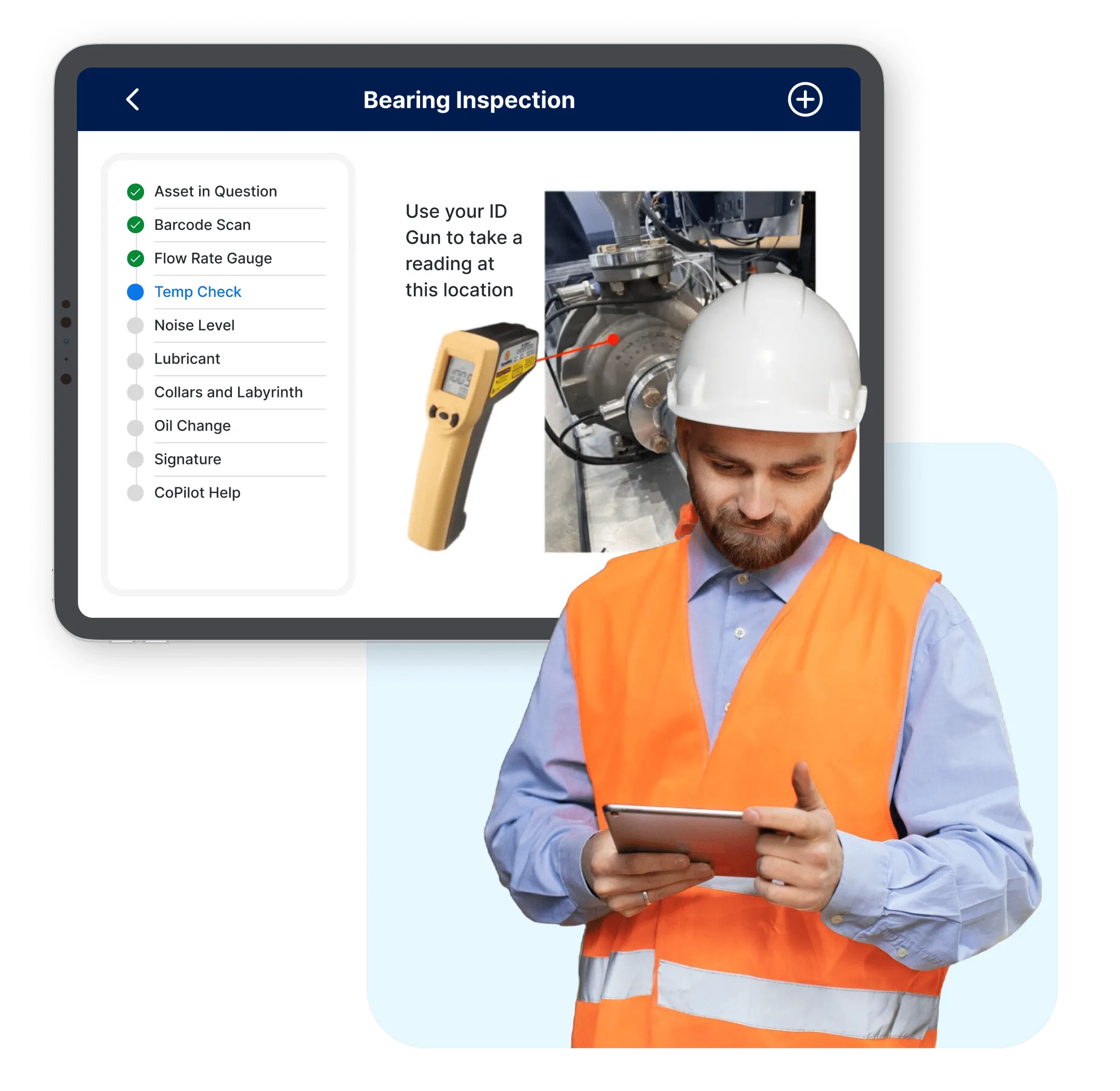

SymphonyAI’s latest Proceedix Connected Worker product release will increase efficiency for frontline workers and help organizations exceed compliance standards.
AI quality checks modernize inspection
Move away from inconsistent paper-based preventative maintenance and inspections—and embrace the efficiency of digital inspections. Proceedix offers a comprehensive solution to automate and streamline your inspection processes, and uses AI quality checks to enhance quality control.
Ensure complete traceability and record inspections with precise details into who, what, where, and when. Proceedix Connected Worker is fully GxP compliant, including 21 CFR Part 11 digital sign-off.
AI quality checks and automated reporting streamline traceability and data analysis. Use custom reports to meet each facility’s specific needs. Eliminate time-consuming manual reporting and reduce inconsistencies across reports.Data captured from inspections can be unified with other OT, IT, and engineering data sources in IRIS Foundry, enriching additional insights and analysis with inspection data. Capture valuable trends, improve accessibility to critical information, and enable informed decision-making by analyzing inspection data in a unified environment.
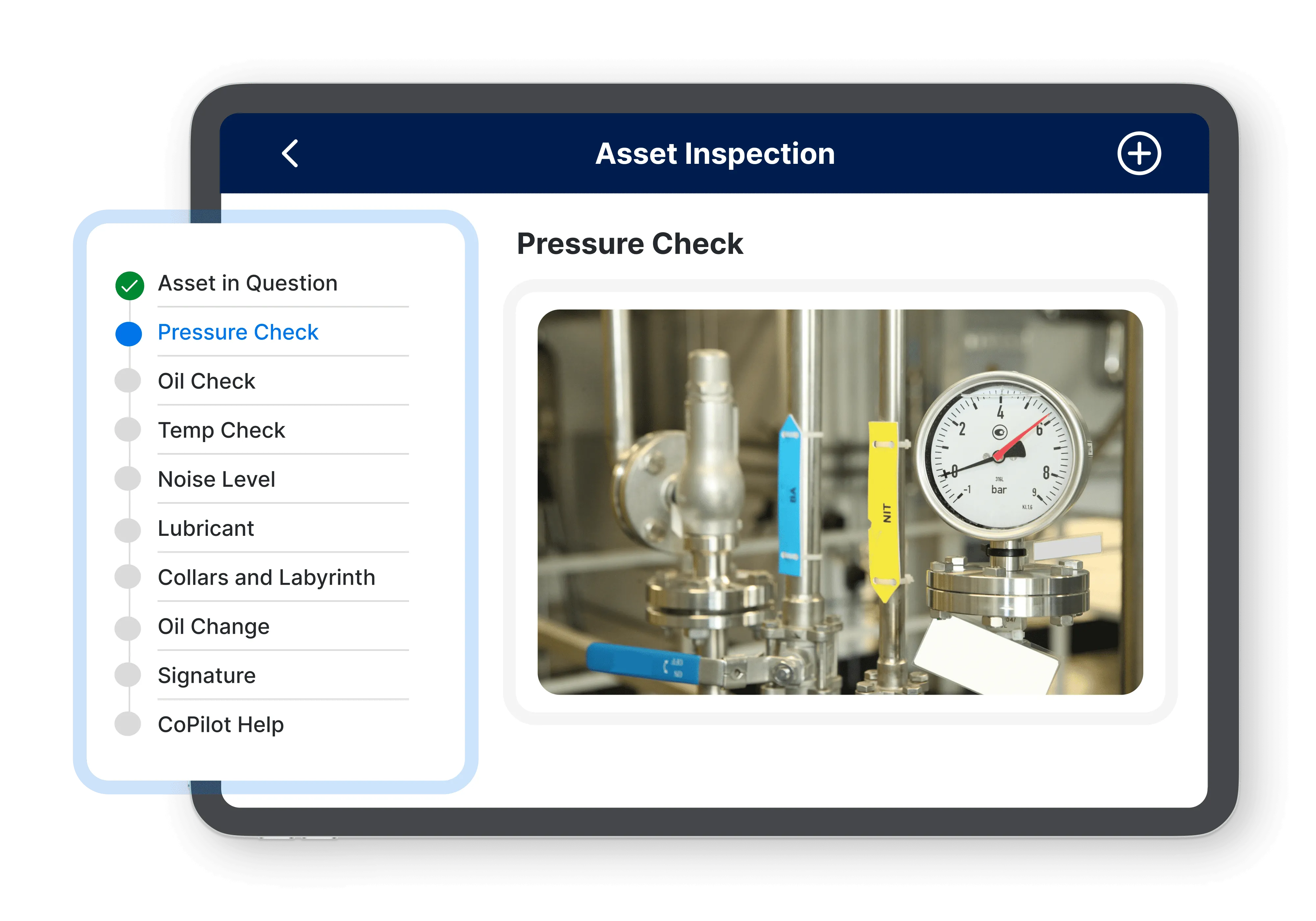
Configurable Checklists
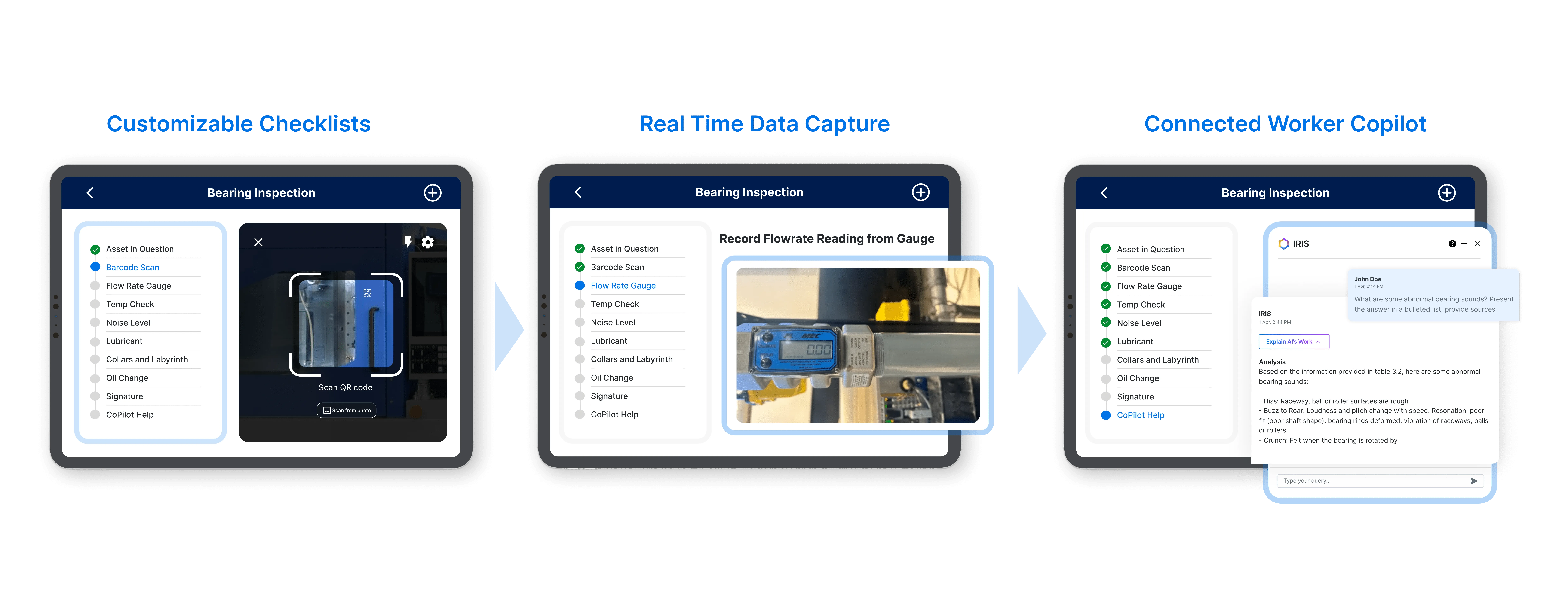
Easily configure checklists designed to meet the needs of safety audits, preventative maintenance, quality control, and more. Conduct AI quality checks and deploy updates to frontline workers, ensuring each new or modified inspection step is instantly and consistently adopted.
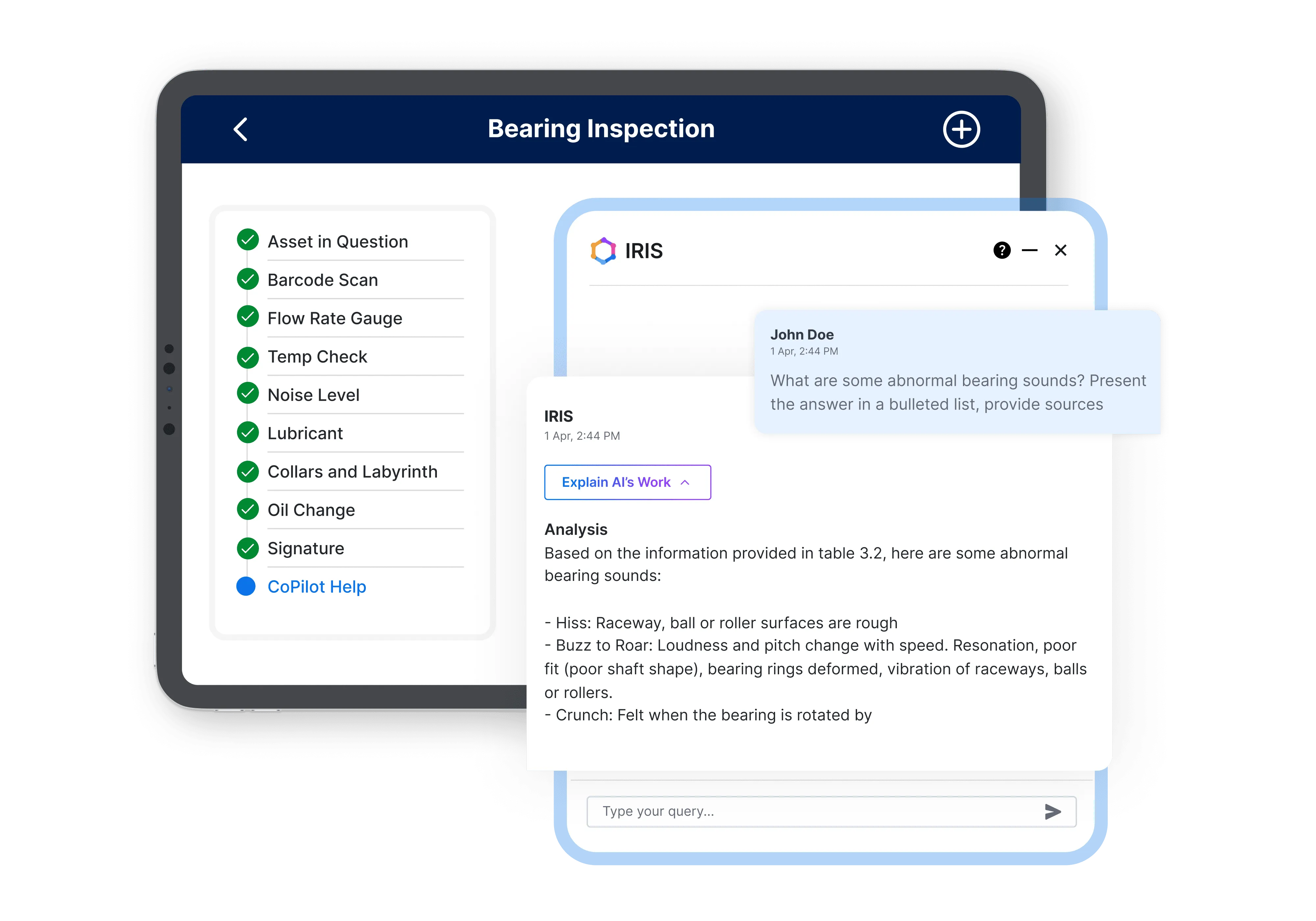
AI-enhanced execution
With the Connected Worker Copilot, easily access critical information at the right time–instead of manually sorting through hundreds of OEM-specific documents. Use natural language search to quickly analyze and troubleshoot processes and perform in-depth, real-time investigations.
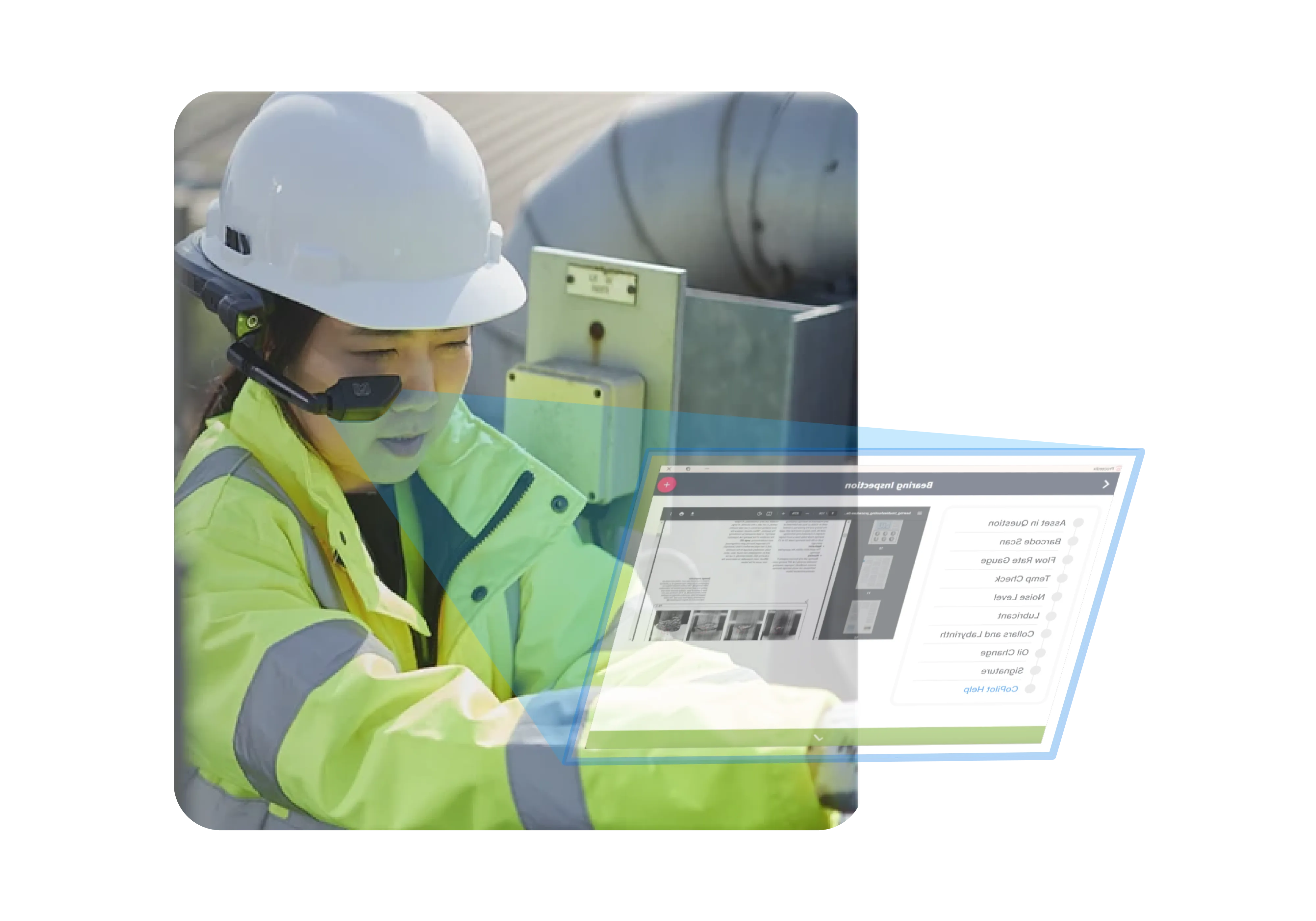
Hands-free inspections
When inspectors need to reach hard-to-reach areas, traditional handheld devices are problematic. By integrating wearable and hands-free technologies, workers can conduct inspections without interrupting their workflow. This approach reduces device drops and accidents, streamlines processes, and enables connected workers to safely focus on tasks. Completed steps are transferred back to a mobile device seamlessly.
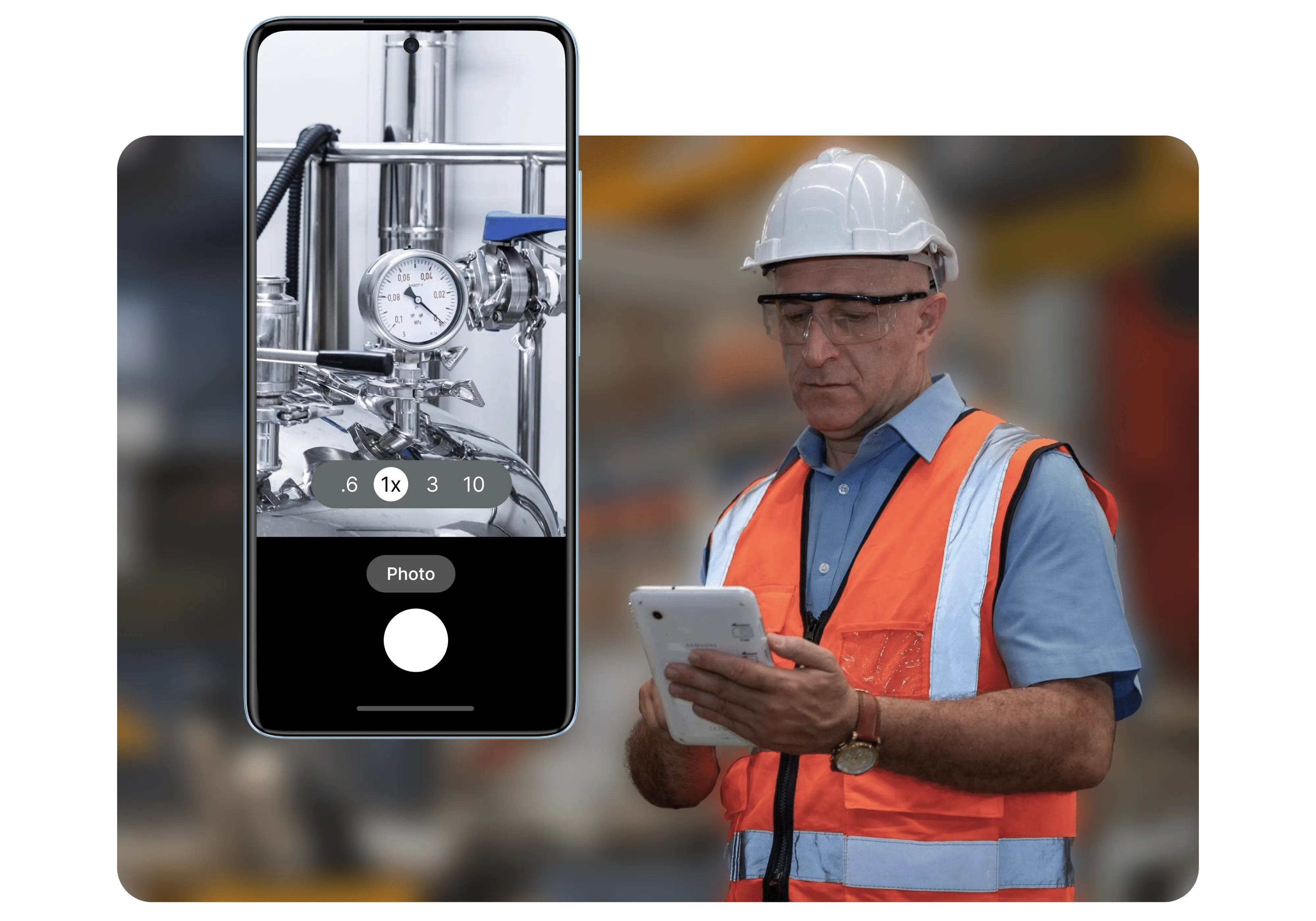
Document with photos and videos
Empower workers to document inspections directly within digital workflows. Improve accountability with current, real-time visual evidence stored alongside each inspection, reducing errors and enhancing compliance. Expedite audit processes and maintain a comprehensive media-rich history of inspections with an intuitive and secure platform.
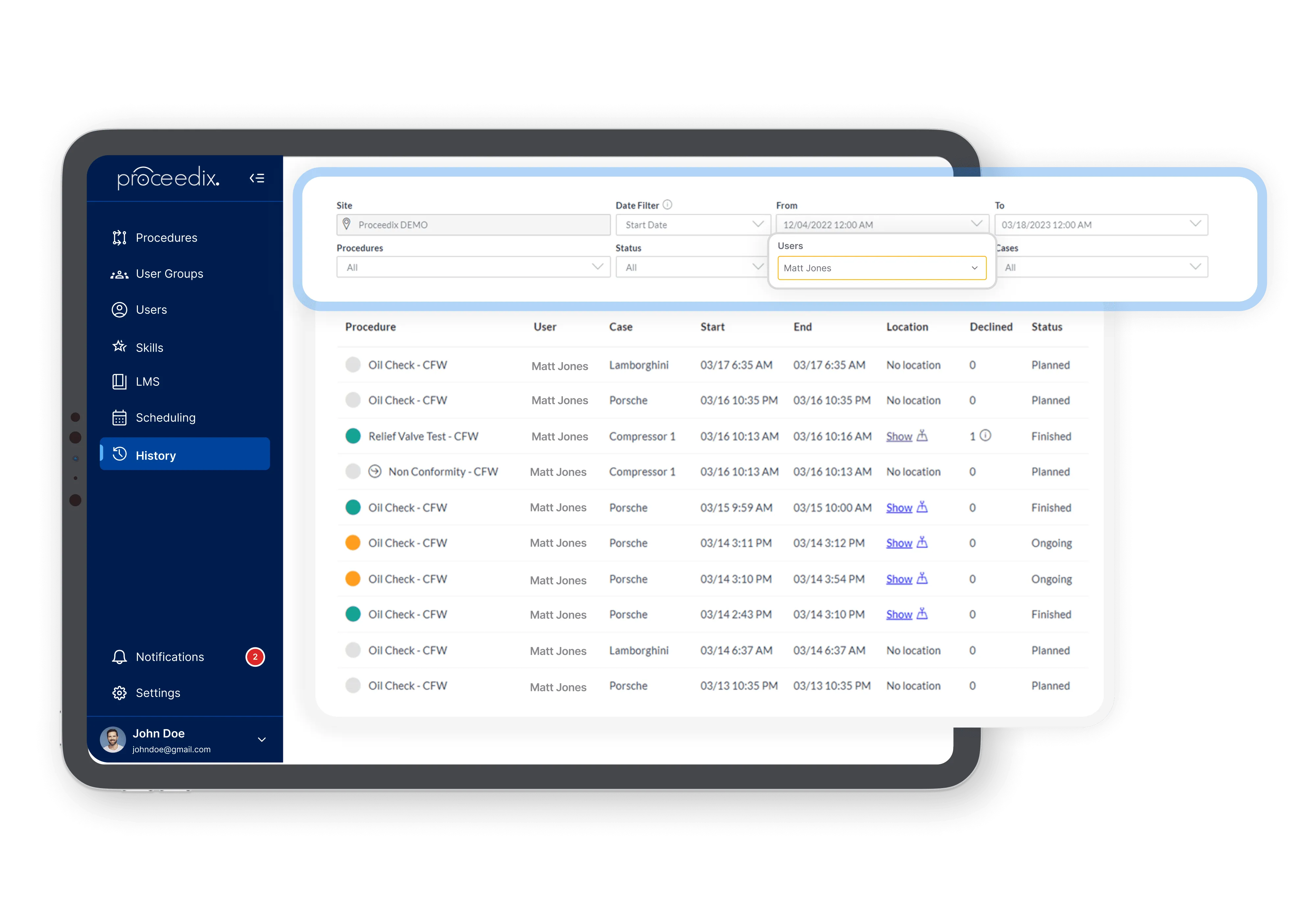
Compliance tracking
Ensure operational compliance with regulatory standards and established processes. Every inspection and workflow step is automatically recorded with tracking and documentation. A clear, auditable record ensures compliance and traceability, upholding safety commitments and quality standards while meeting industry regulations such as GxP.