Service Automation

Accelerate business value

Automate service processes to scale faster than ever. Work smarter, not harder.
Interior view of a car with digital futuristic heads-up display showing self-driving technology data over a highway scene.
Unlocking millions in savings: Workflow Automation for a global connected car leader

Saving businesses $1.3 million annually and reducing support hours by 65,000 with a 98% automation success rate.

Discover how Evalueserve leveraged SymphonyAI’s intelligent service automation to simplify complex, location-specific IT processes.
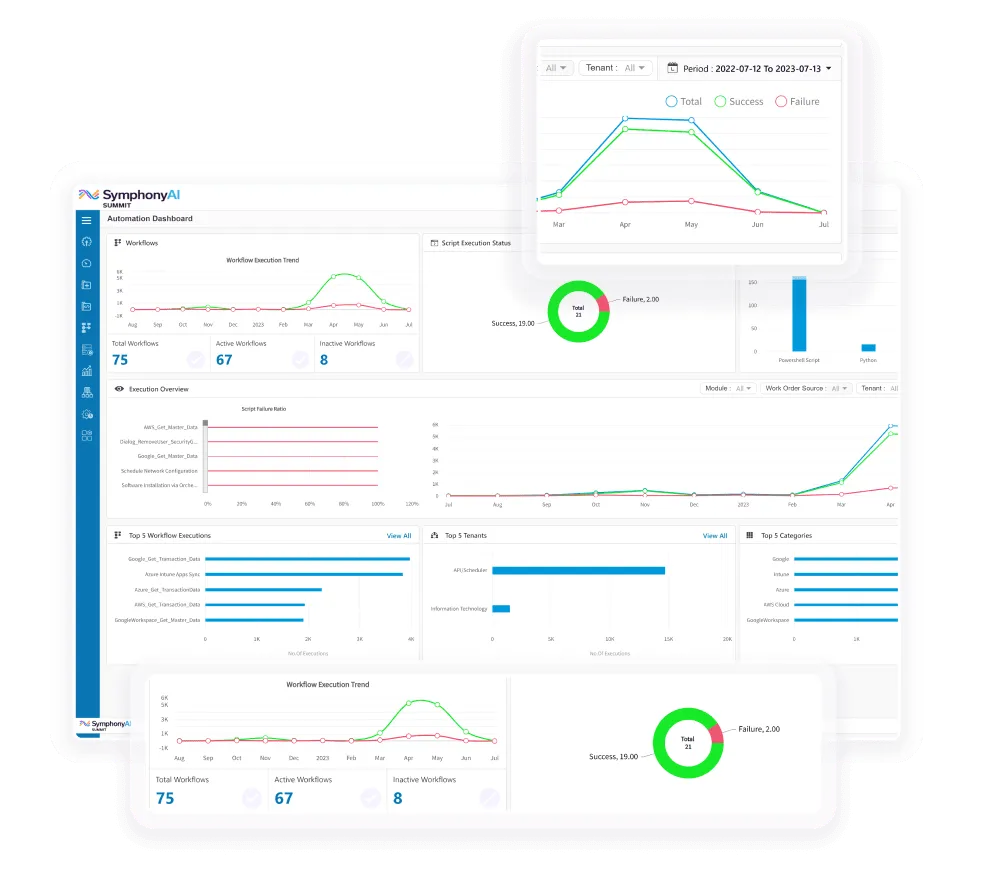
Improve business performance by responding faster to service requests or incidents. SymphonyAI Service Automation helps you focus on business-critical tasks, helping to achieve business goals faster.
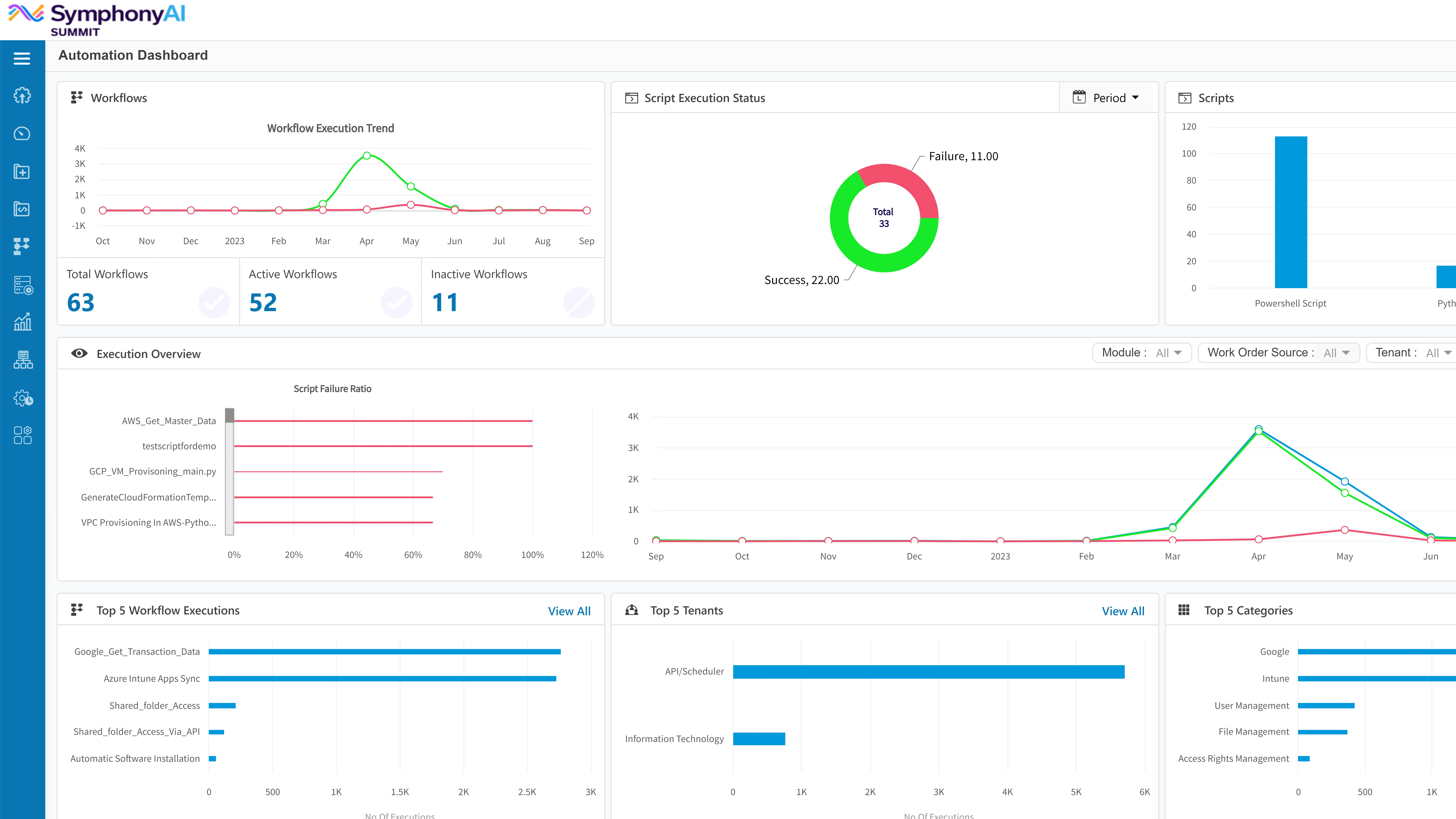
Bring efficiency, speed, and expanded capacity to your organization with SymphonyAI Service Automation. Eliminate manual error-prone tasks to provide faster, predictable results.
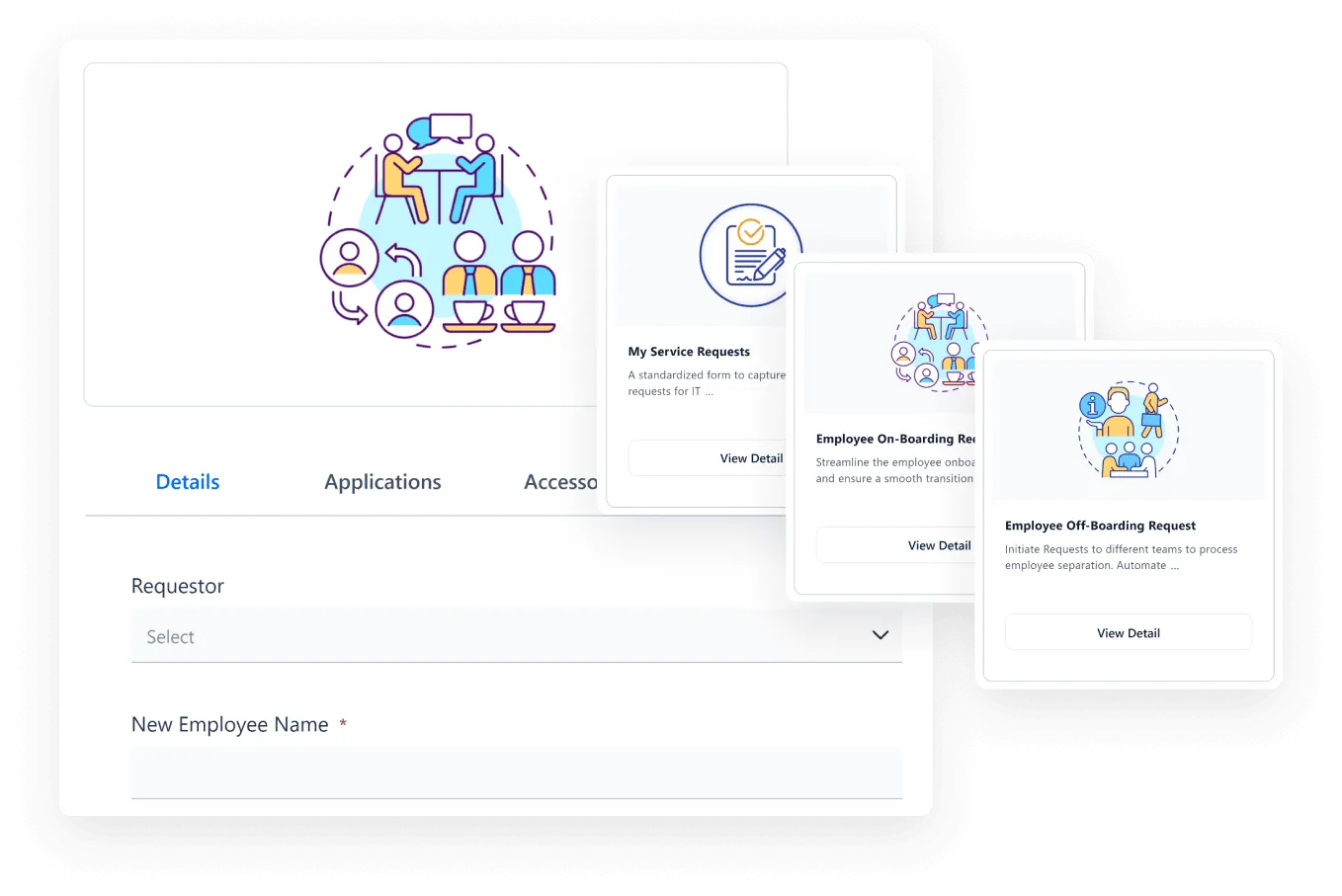
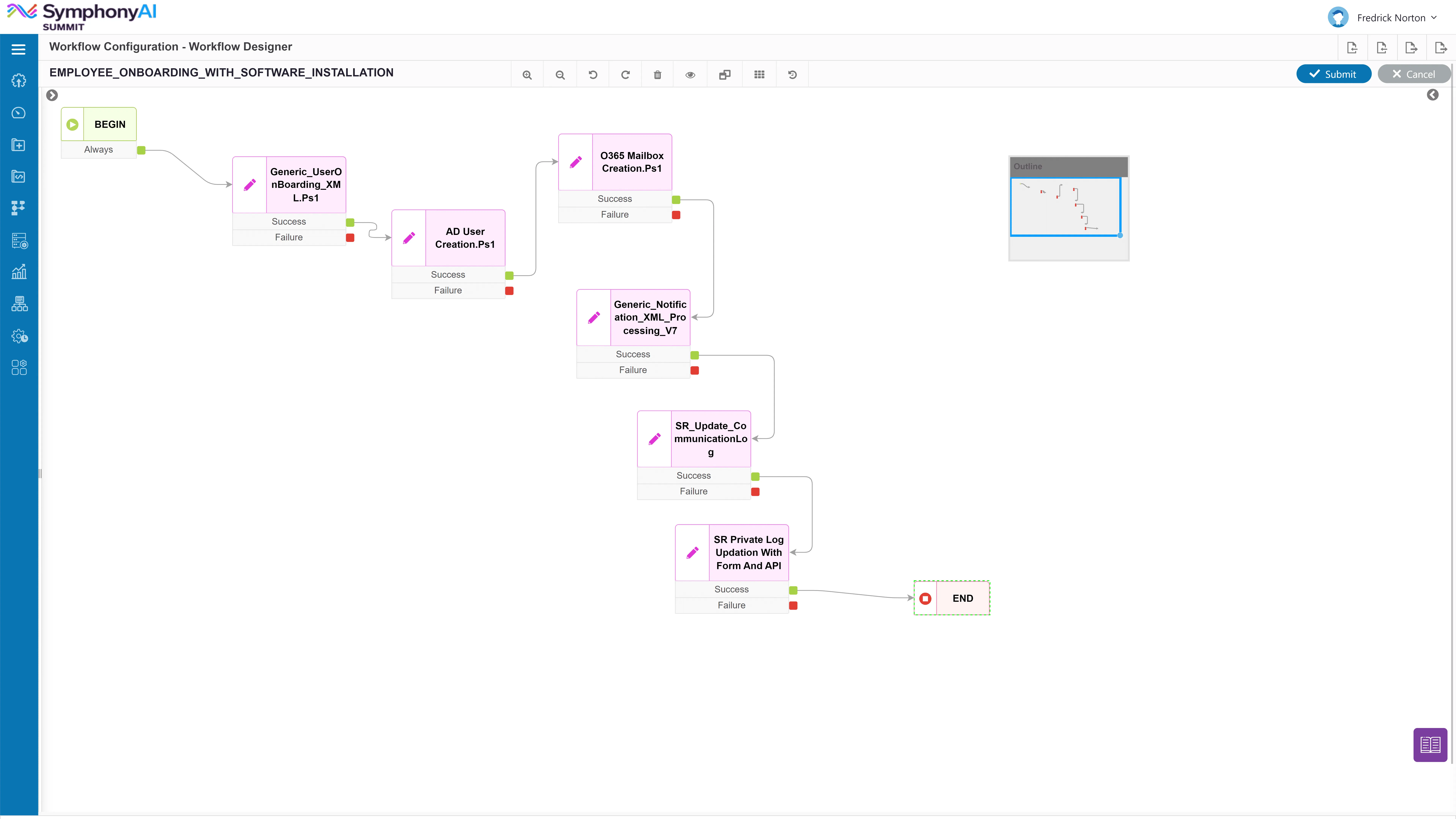
Reduce service handing time and respond real-time on employee service needs. With SymphonyAI Service Automation, you can respond to incidents before they become larger business issues.

Use the transformative power of SymphonyAI Service Automation to connect systems, processes, and people to drive better enterprise efficiency and business value.

Blue star-shaped badge icon in the center with lines connecting to six smaller blue squares, three on each side, representing a network or system.
Agentless architecture

Reduce resource consumption, simplify deployment and management, and enhance scalability and flexibility. Automate tasks seamlessly across diverse environments and platforms.

Blue cloud behind a browser window icon showing white arrows pointing up and down, symbolizing data upload and download.
Integration out of the box

Seamlessly manage data from third-party applications with 40+ built-in integrations and 180+ use cases libraries, enabling efficient and streamlined data management. Use cases include IIS Application migration from on-premise to AWS, Azure VM provisioning with Post Build Tasks, Deploy Docker images on the Azure cloud, create or add user in Google Workspace, Google Workspace Data Sync, and more.

Blue shield with a white heart in the center, a lock on the left, a gear at the bottom, and a checkmark on the top right.
Built-in compliance policies

Create your own custom policy and remediation with 185+ built-in compliance policies for endpoints, with automated remediation framework.

Blue cloud icon with the text 'API' in white, accompanied by a light blue gear symbol and translucent rectangular blocks above.
Secure APIs

SymphonyAI Service Automation provides secure APIs for integration with external systems, ensuring secure access via robust authentication mechanisms.

Blue hand icon holding a large checkmark with a gear above, representing task completion and settings or process automation.
Multiple scripting language support

SymphonyAI Service Automation supports scripting languages including Powershell, VB, Python, Pearl, and batch.

Abstract blue icon showing six connected circles with arrows forming a circular flow between them, representing a lifecycle or continuous process.
Live feed

Real-time execution tracking for easy workflow and script management and to provide execution insights in real-time.

Blue calendar icon with two rings on top, featuring a gear symbol and a curved arrow indicating scheduling or settings.
Automated task execution

Schedule task specific execution through workflow for specific need or for recurring activities report generation, application maintenance etc.

Blue icon of a document with a magnifying glass showing a checkmark in front, with three vertical bars indicating report or data analysis behind the document.
Event-based execution

Execution workflow based on service request or incident.

Blue icon depicting a web browser window with three horizontal lines representing a list or text and a magnifying glass overlaying the upper right corner, symbolizing search or audit logging.
Automation scheduler

The SymphonyAI Service Automation scheduler initiates workflows automatically when scheduler/time conditions are met, without any human intervention.

Light blue icon of a hand holding two interlocking gears representing IT service management.
Custom workflows

Customize your workflow with the SymphonyAI Service Automation integration pack of more than 250 action/scripts.

Blue cloud behind a browser window icon showing white arrows pointing up and down, symbolizing data upload and download.
40 + Integrations

Automate actions and workflows with 40 + integrations.

Blue cloud icon with the text 'API' in white, accompanied by a light blue gear symbol and translucent rectangular blocks above.
API Trigger

Automate tasks, actions, workflows with the help of API Trigger.

Blue shield with a white heart in the center, a lock on the left, a gear at the bottom, and a checkmark on the top right.
Live Feed

Be on top of data and get real time insights with the help of Live feed.

Blue hand icon holding a large checkmark with a gear above, representing task completion and settings or process automation.
Multi-language Support

Automate tasks using scripts regardless of the platform with the help of multi-language support.

Blue star-shaped badge icon in the center with lines connecting to six smaller blue squares, three on each side, representing a network or system.
Powered by Digital Agent

Effectively automate tasks and workflows by harnessing the power of AI automation.

Blue icon of a document with a magnifying glass showing a checkmark in front, with three vertical bars indicating report or data analysis behind the document.
Rest Webhooks

Effectively perform data transfer from external services in ease by using Rest Webhooks.

Light blue icon of a hand holding two interlocking gears representing IT service management.
Workflow Configuration

Automate tasks in sequence with workflow configuration.

Blue icon depicting a web browser window with three horizontal lines representing a list or text and a magnifying glass overlaying the upper right corner, symbolizing search or audit logging.
Automation Scheduler

Effortlessly automate tasks at regular intervals by using automation scheduler.

Blue cloud behind a browser window icon showing white arrows pointing up and down, symbolizing data upload and download.
Out-of-the-box integrations

Save time and resource, with the help of OOB integrations.

IT Service Management
IT Asset Management
Digital Agent

Deliver delightful service experience powered by AI. Redefine employee experience and unleash productivity with AI-powered IT and Enterprise Service workflows with a future-ready platform.
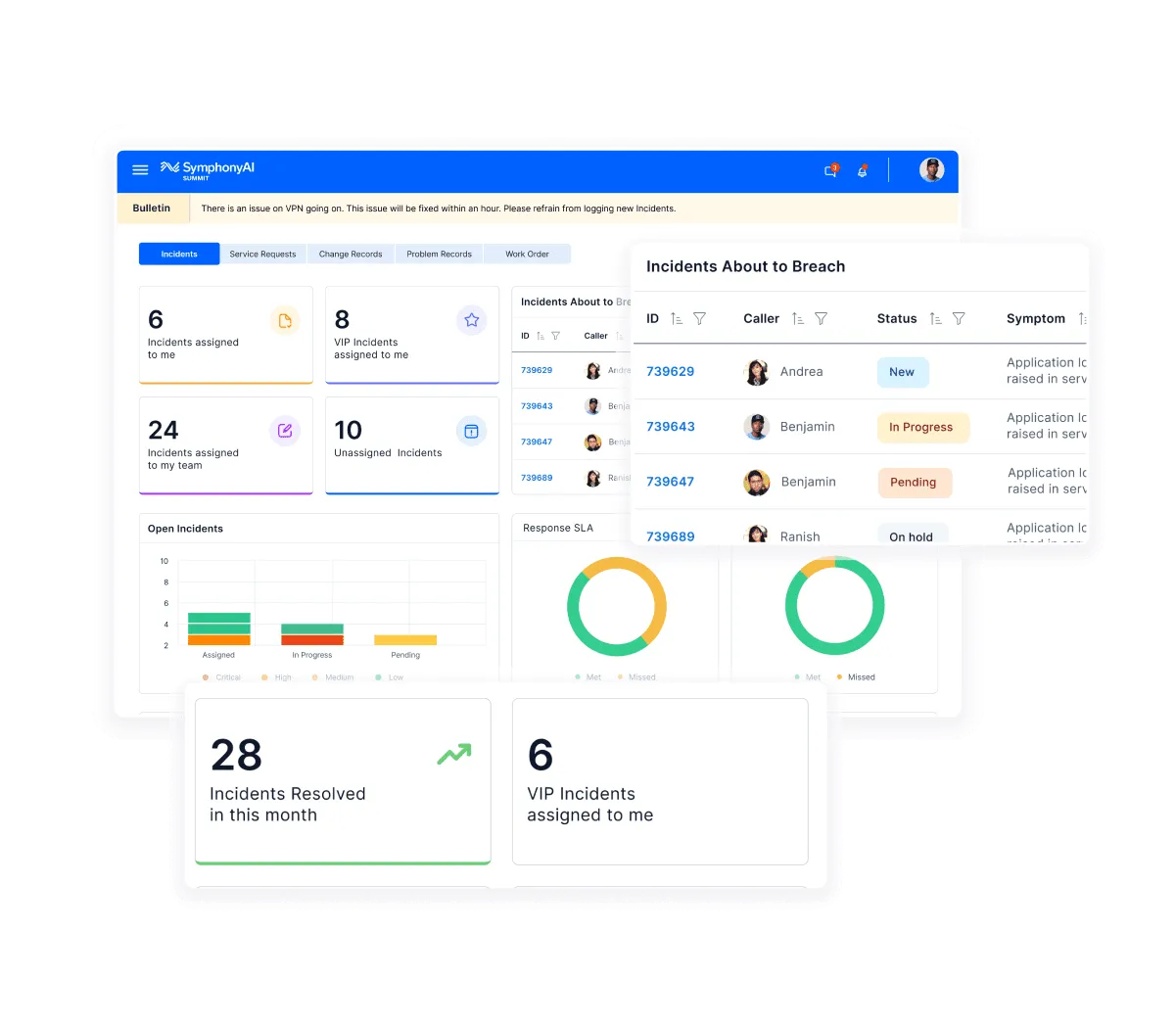
Dashboard of SymphonyAI Summit IT service management showing incident statistics including six incidents assigned to the user, eight VIP incidents, 24 team incidents, and 10 unassigned incidents, with charts for open incidents by status and response SLA, and a table listing incidents about to breach with caller names and status updates like New, In Progress, and Pending.

Maximize your ROI on enterprise IT assets. Gain complete control and visibility of your hardware assets and software licenses and enforce compliance.

Dashboard screen from SymphonyAI showing IT asset management data including total fixed assets, consumables, and accessories; pie charts for assets by category and status; a pie chart showing assets not contacted in the last 15 days by desktop and laptop; and a bar chart of assets by store type across categories like desktop, laptop, monitor, electrical, server, chairs, and IT-others.

Turn every conversation into an exceptional experience. Resolve issues faster, improve productivity, and save costs with the power of AI.
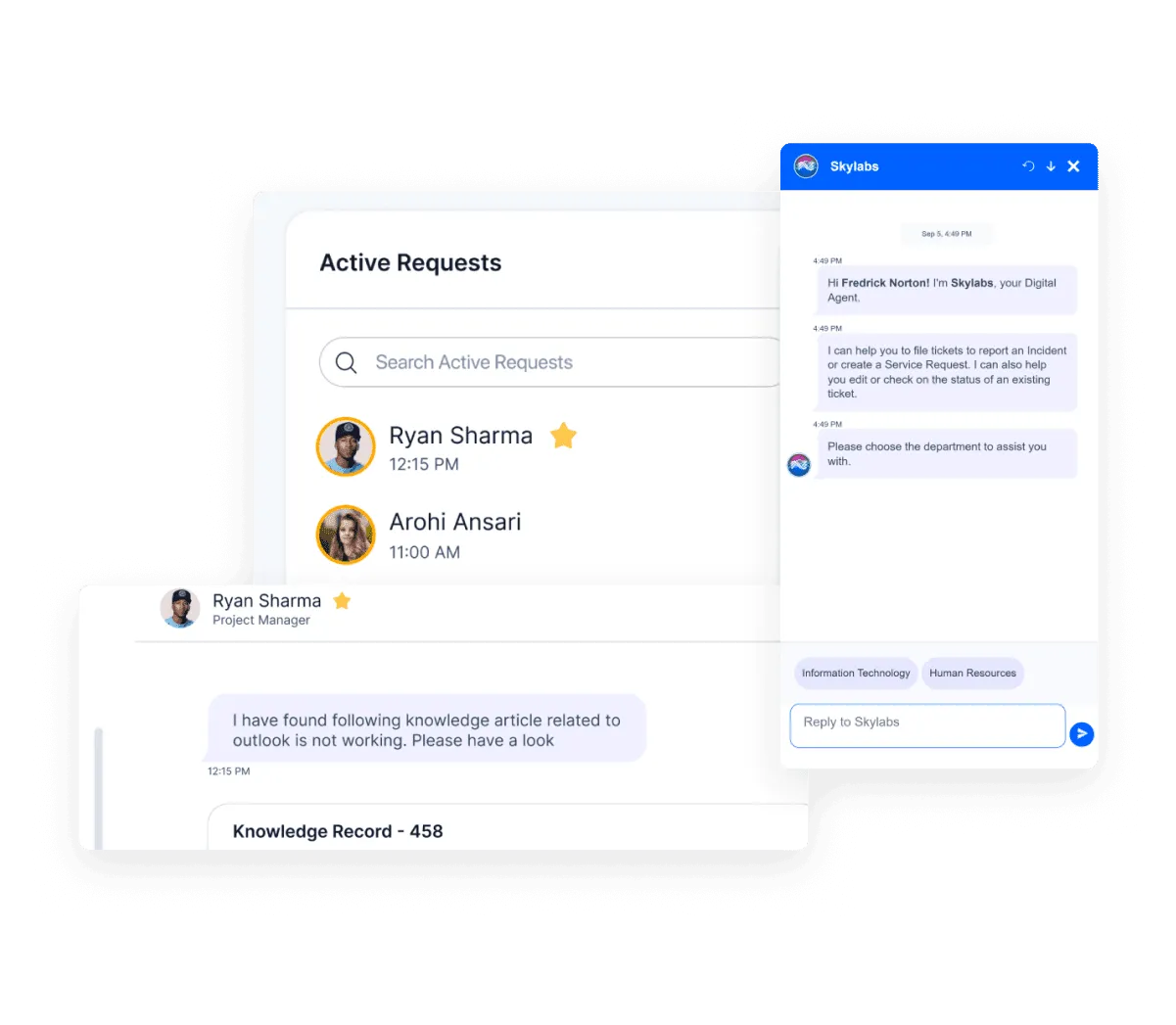
Interface showing active requests with names Ryan Sharma and Arohi Ansari and a chat window labeled Skylabs where a digital agent offers help with tickets and service requests.