Digital Agent

Turn every conversation into an exceptional experience

Resolve issues faster, improve productivity and save costs with the power of AI.
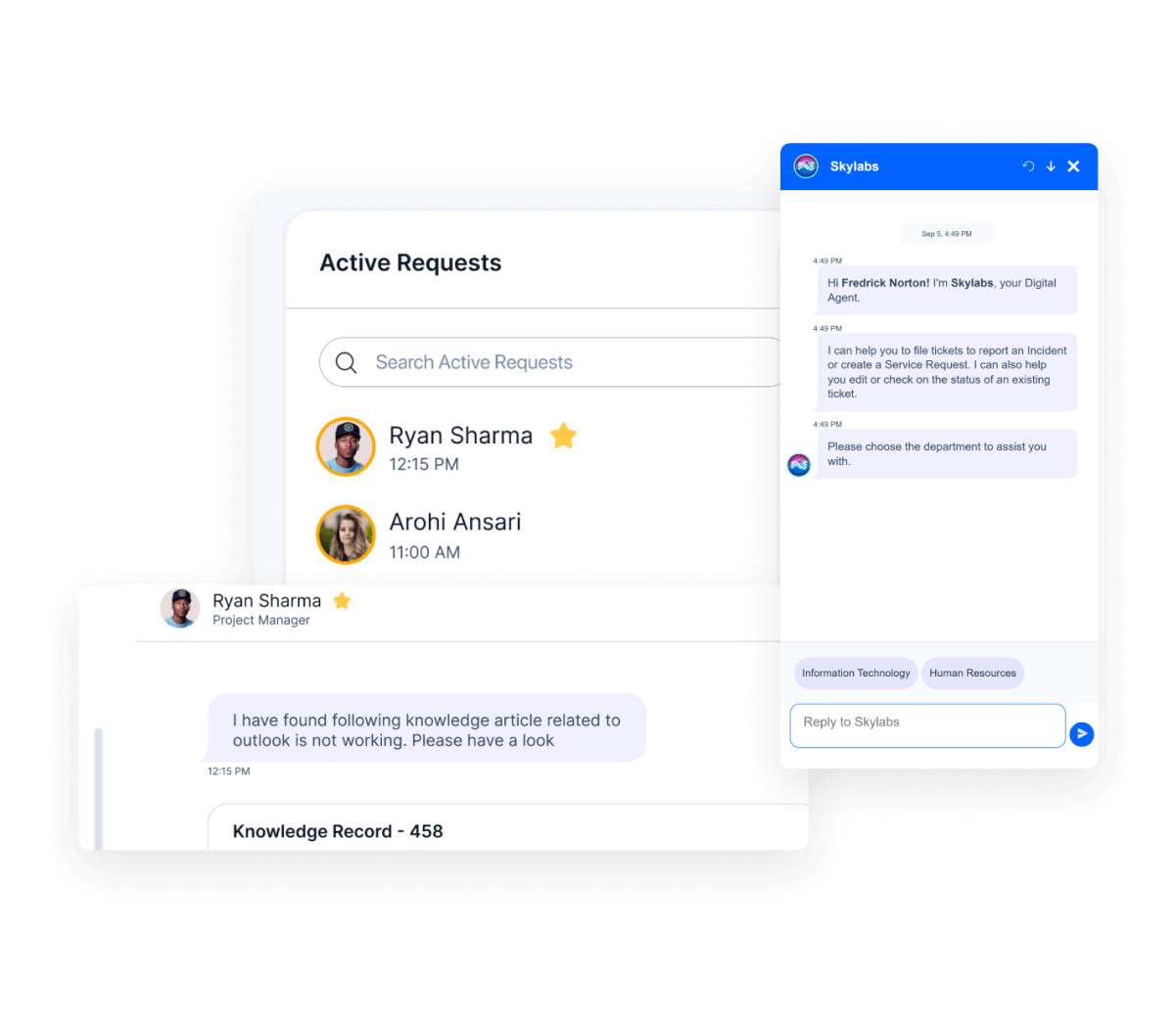
Digital interface showing an 'Active Requests' list with user names Ryan Sharma and Arohi Ansari, each with a time stamp. A chat screen overlay shows Skylabs digital agent messaging a user named Fredrick Norton, offering help to file tickets or check status, with department options Information Technology and Human Resources. Another chat window from Ryan Sharma, Project Manager, displays a message referencing a knowledge article about Outlook not working.
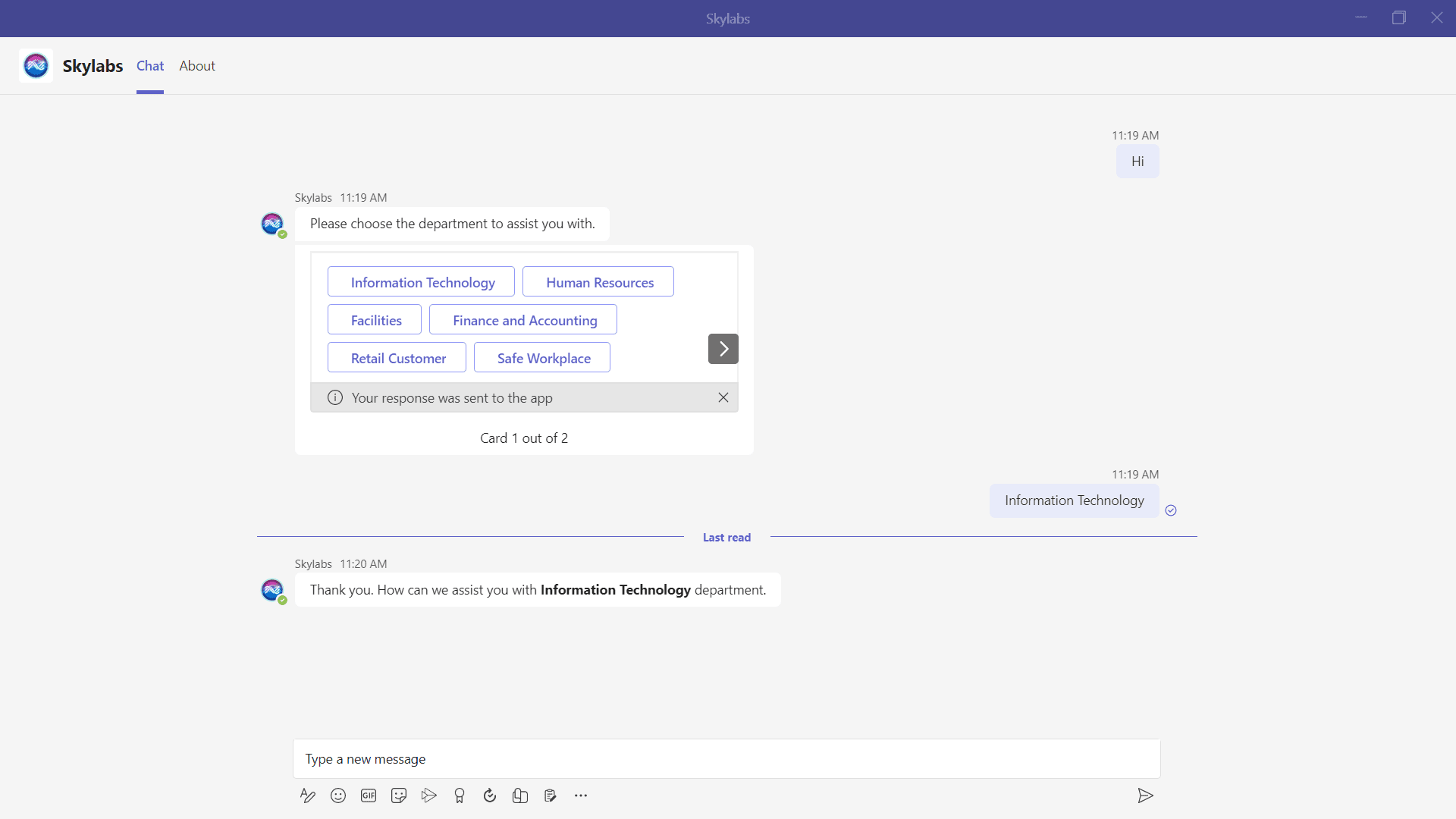
Screenshot of a Microsoft Teams chat conversation with Skylabs bot showing a user greeting, a prompt to choose a department with buttons for Information Technology, Human Resources, Facilities, Finance and Accounting, Retail Customer, and Safe Workplace, followed by the user's selection of Information Technology and the bot acknowledging it with a thank you message.

Anytime, anywhere availability

Offer an unparalleled level of support with the AI-powered SymphonyAI Digital Agent available 24/7 so employees can access excellent service anytime, anywhere.

Screenshot of a workflow editor showing a flow named da_escalate_flow with nodes including entry, check_isEscalate, send_ticket_details, display_success_msg, display_tickets, and action_failed, connected with transitions based on conditions and actions related to ticket handling and escalation.

Self-service experience

Deliver employees an engaging self-service experience and empower them to solve problems independently. The SymphonyAI Digital Agent understands the context of user intent and utilizes machine reasoning to determine the best course of action.
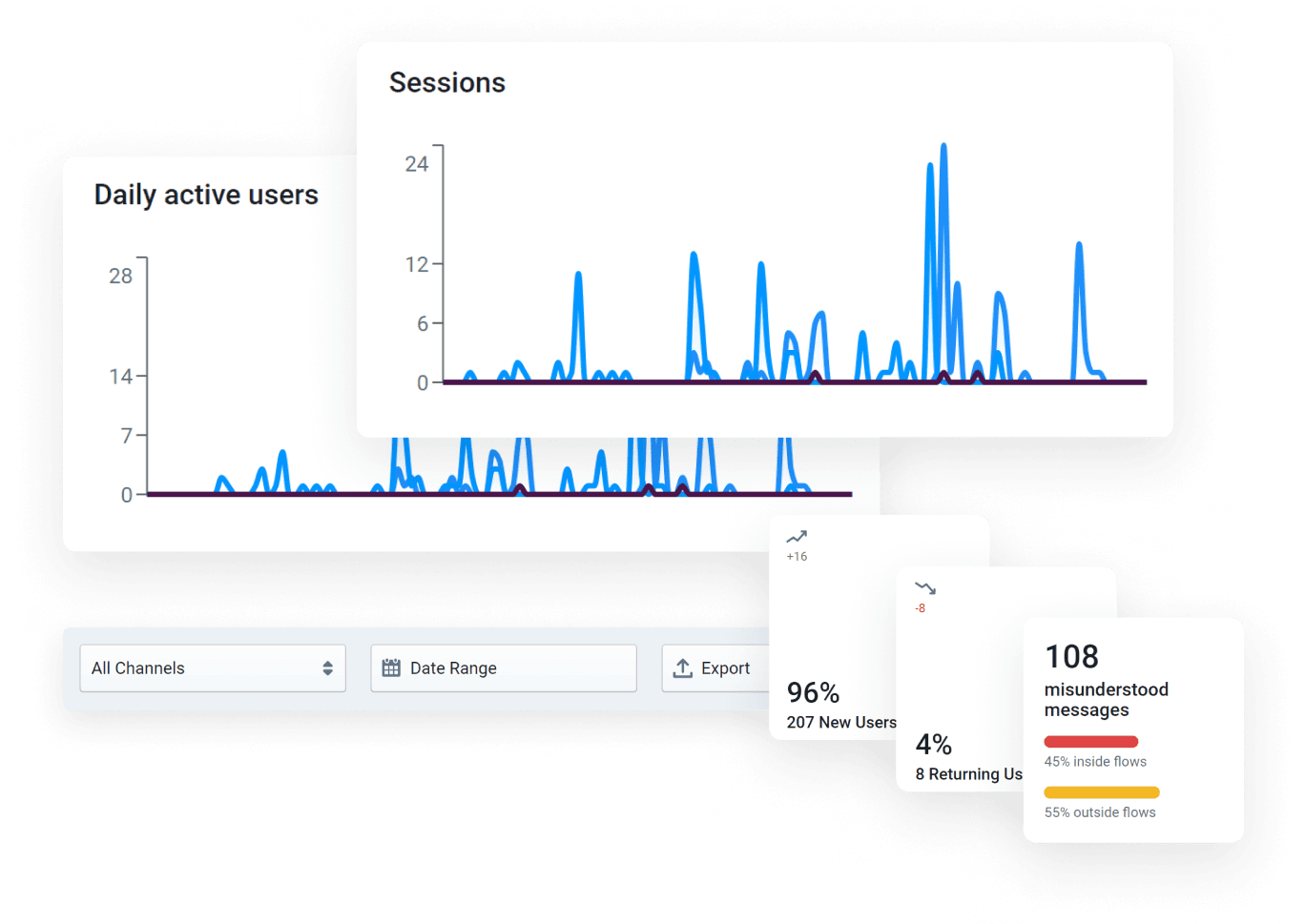
Dashboard interface showing user analytics with two line charts depicting daily active users and sessions over time, dropdowns for channel selection and date range, an export button, and cards indicating 96% new users with 207 new users, 4% returning users with 8 users, and 108 misunderstood messages divided into 45% inside flows and 55% outside flows.

Saving millions

By automatically resolving 30 – 40% of service requests, the AI-powered SymphonyAI Digital Agent drives significant cost savings for your organization. Reduce operational expenses, improve efficiency, and achieve better business value by automating routine tasks and freeing up resources.
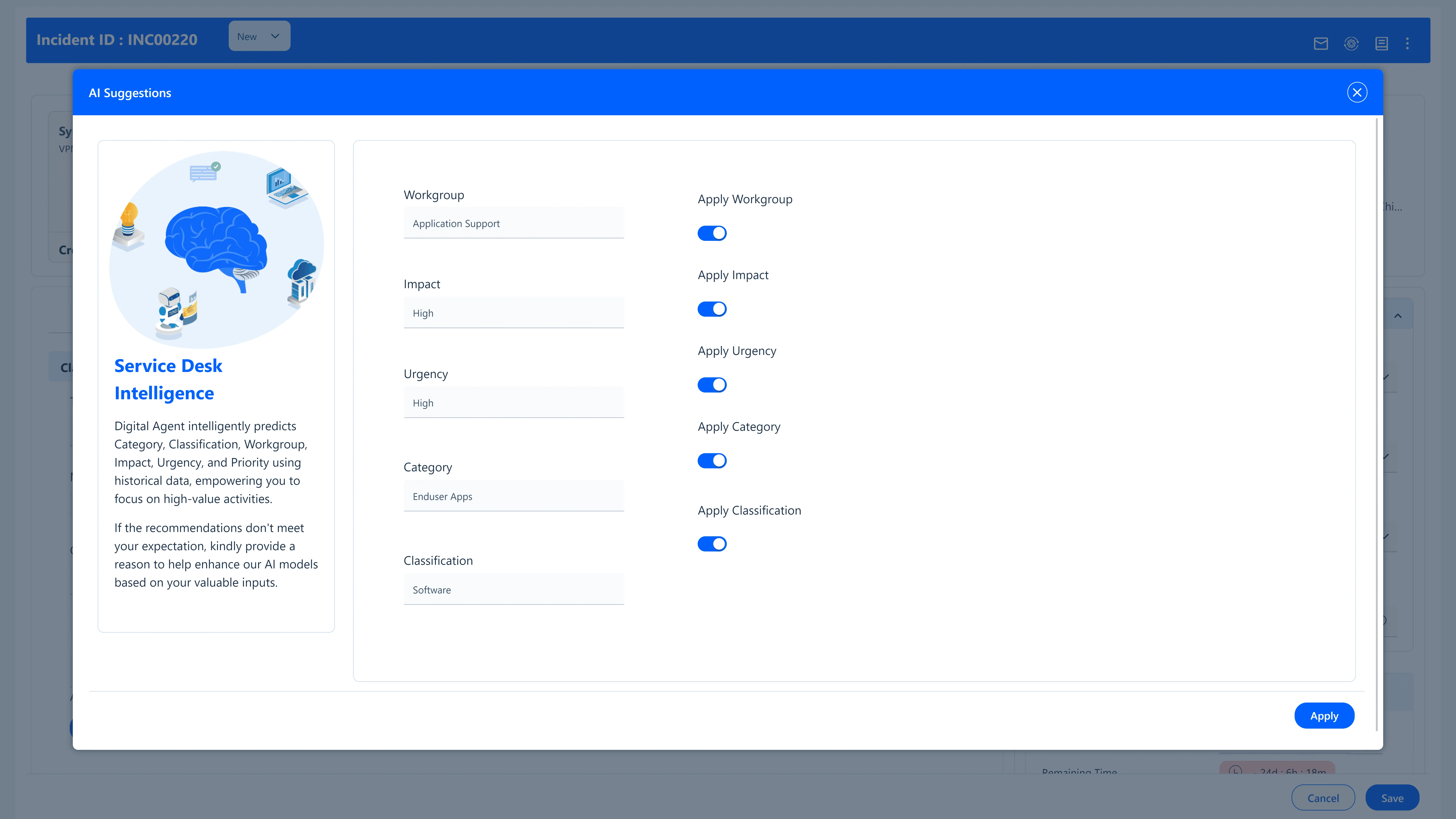
User interface screen displaying AI Suggestions for a service desk incident with fields for Workgroup (Application Support), Impact (High), Urgency (High), Category (Enduser Apps), and Classification (Software) all set to apply with toggles enabled. A section titled Service Desk Intelligence explains the digital agent predicts various incident attributes using historical data to help focus on high-value tasks and requests feedback to improve AI models. Buttons for Apply and Close are visible.

Improved agent productivity

The SymphonyAI Digital Agent efficiently handles and resolves L1 issues, so your human agents can focus on high-impact work that requires their expertise.

Key Digital Agent capabilities

Blue computer window with a white Windows logo and a blue user silhouette overlapping it.
Advanced natural language understanding (NLU)

Understand the context of customer queries and extract meaningful information.

Icon of a globe with horizontal and vertical grid lines above two stacked server units, representing a web server or internet hosting.
Service desk intelligence

Automatically assign incidents and service request to the right workgroup or agent.

Diagram of a network device with six connected nodes, three above and three below, linked by lines to a central rectangular unit.
Live agent transfer

Route users to live analysts for issues that need expert’s intervention.

Icon showing two stacked network servers connected below to three smaller nodes, representing a proxy server setup.
Workbench

Streamline your digital agent development process from a single console.

Icon showing a blue user silhouette on the left, a transparent blue rectangle in the center with a white gear symbol, and three horizontal blue lines on the right, representing API-based discovery or user settings integration.
Conversational studio

Configure and manage SymphonyAI Digital Agent with a no-code approach.

Blue user silhouette with three check marks on the left and a gear symbol near the head.
Multi-channel support

Let your customers engage through the messaging platform of their choice.

Blue cloud icon with a magnifying glass overlayed on its lower right area and a small barcode-like pattern in the upper right corner.
Multi-tenant support

Deploy Digital Agents across the enterprise in any department.

Blue shield with a white heart in the center, a lock on the left, a gear at the bottom, and a checkmark on the top right.
Integrations

Out of the box integration with Microsoft Teams, Slack, and Jabber.

Blue gear with two circular arrows inside, connected by a line to two large circles on opposite sides, with binary code digits.
Third party API integration

Integrate with any API and automate tasks freeing users to focus on complex tasks.

Features

Blue translucent icon showing a browser window with three circles at the top left, a shield symbol in front on the left, and an outline of a person on the right, representing online security and user protection.
24/7 Availability
→
Abstract blue graphic of a smartphone with a line graph overlay and binary code elements to the left, symbolizing data mapping and analysis.
Advanced Analytics
→
Blue computer window with a white Windows logo and a blue user silhouette overlapping it.
Advanced NLU
→
Blue gear with two circular arrows inside, connected by a line to two large circles on opposite sides, with binary code digits.
API Integration
→
Blue stylized icon of a smartphone with a warning triangle and two clock icons indicating notifications or alerts.
Auto Resolve
→
Icon showing a blue user silhouette on the left, a transparent blue rectangle in the center with a white gear symbol, and three horizontal blue lines on the right, representing API-based discovery or user settings integration.
Conversational Flows
→
Blue translucent icon showing a browser window with three circles at the top left, a shield symbol in front on the left, and an outline of a person on the right, representing online security and user protection.
Knowledge Recommendation
→
Diagram of a network device with six connected nodes, three above and three below, linked by lines to a central rectangular unit.
Live Agent Transfer
→
Blue user silhouette with three check marks on the left and a gear symbol near the head.
Multi-Channel Support
→
Blue cloud icon with a magnifying glass overlayed on its lower right area and a small barcode-like pattern in the upper right corner.
Multi-Tenant
→
Blue translucent icon showing a browser window with three circles at the top left, a shield symbol in front on the left, and an outline of a person on the right, representing online security and user protection.
Personalization
→
Blue icon depicting a web browser window with three horizontal lines representing a list or text and a magnifying glass overlaying the upper right corner, symbolizing search or audit logging.
Question and Answer
→
Abstract blue icon showing six connected circles with arrows forming a circular flow between them, representing a lifecycle or continuous process.
Self-service Capability
→
Icon of a globe with horizontal and vertical grid lines above two stacked server units, representing a web server or internet hosting.
Service Desk Intelligence
→
Icon showing two stacked network servers connected below to three smaller nodes, representing a proxy server setup.
Workbench
→

Explore all Enterprise IT products

IT Service Management
IT Asset Management
Service Automation

Deliver delightful service experience powered by AI. Redefine employee experience and unleash productivity with AI-powered IT and Enterprise Service workflows with a future-ready platform.
Learn more
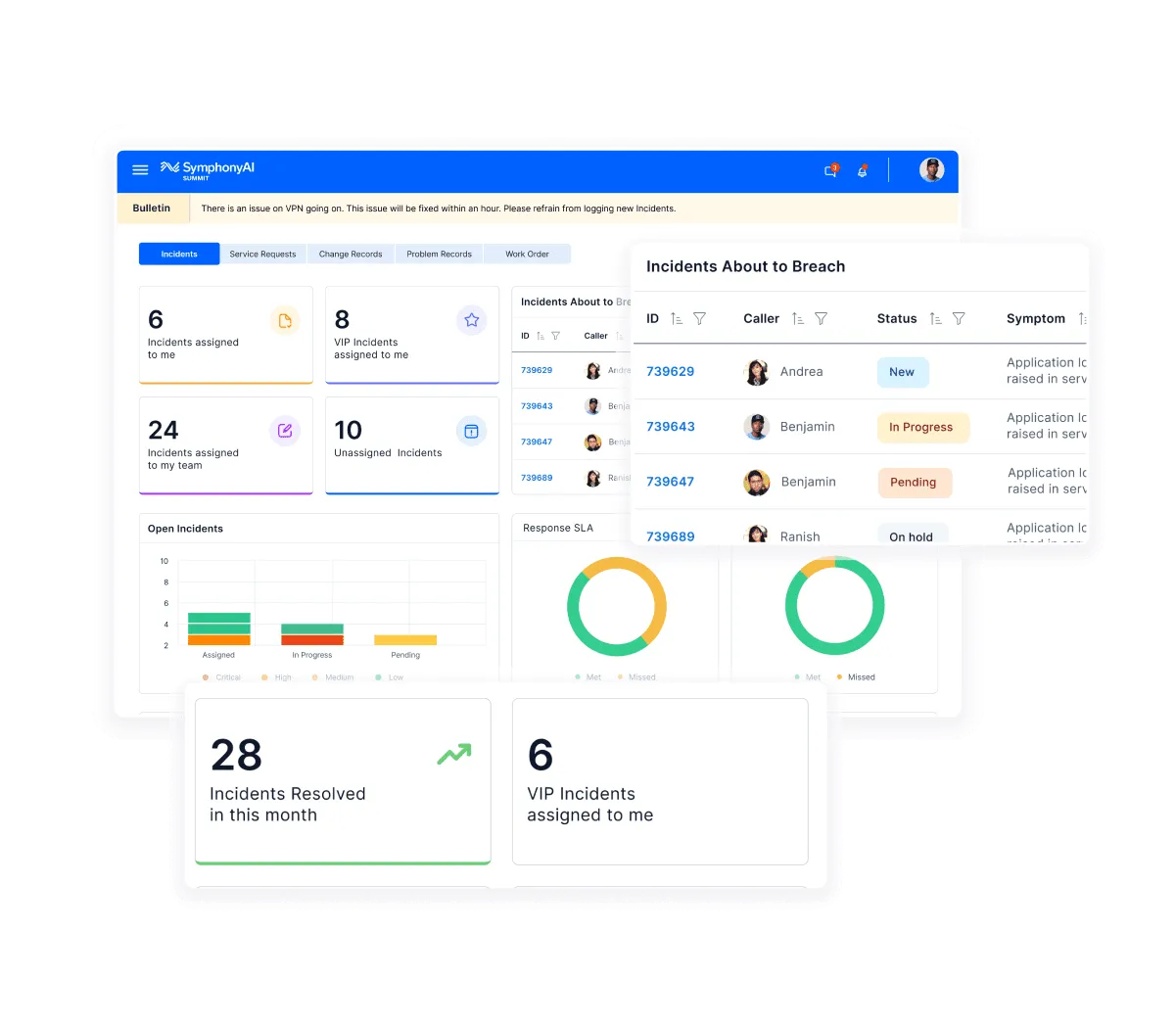
Dashboard of SymphonyAI Summit IT service management showing incident statistics including six incidents assigned to the user, eight VIP incidents, 24 team incidents, and 10 unassigned incidents, with charts for open incidents by status and response SLA, and a table listing incidents about to breach with caller names and status updates like New, In Progress, and Pending.

Maximize your ROI on enterprise IT assets. Gain complete control and visibility of your hardware assets and software licenses and enforce compliance.

Learn more
Dashboard screen from SymphonyAI showing IT asset management data including total fixed assets, consumables, and accessories; pie charts for assets by category and status; a pie chart showing assets not contacted in the last 15 days by desktop and laptop; and a bar chart of assets by store type across categories like desktop, laptop, monitor, electrical, server, chairs, and IT-others.

Accelerate business value with automation. Automate service processes to scale faster than ever. Work smarter not harder.

Learn more
Automation dashboard from SymphonyAI Summit showing workflow execution trends with graphs and charts indicating total workflows, active workflows, inactive workflows, script execution status with success and failure rates, top workflow executions, top tenants, and top categories over time.