Move industrial AI from pilot to production
ML Studio is the MLOps engine of IRIS Foundry. Build, train, deploy, monitor, and continuously improve machine learning models at scale, starting from a catalog of pre-built industrial models that already understand your assets and processes.
Too much industrial AI never makes it past the pilot
Industrial AI projects spend too much effort on data engineering, promising models stay stuck as proofs of concept, and gaps in governance and retraining erode trust after go-live. ML Studio is the bridge between your industrial data and production-grade AI.
One workspace for the complete industrial AI lifecycle
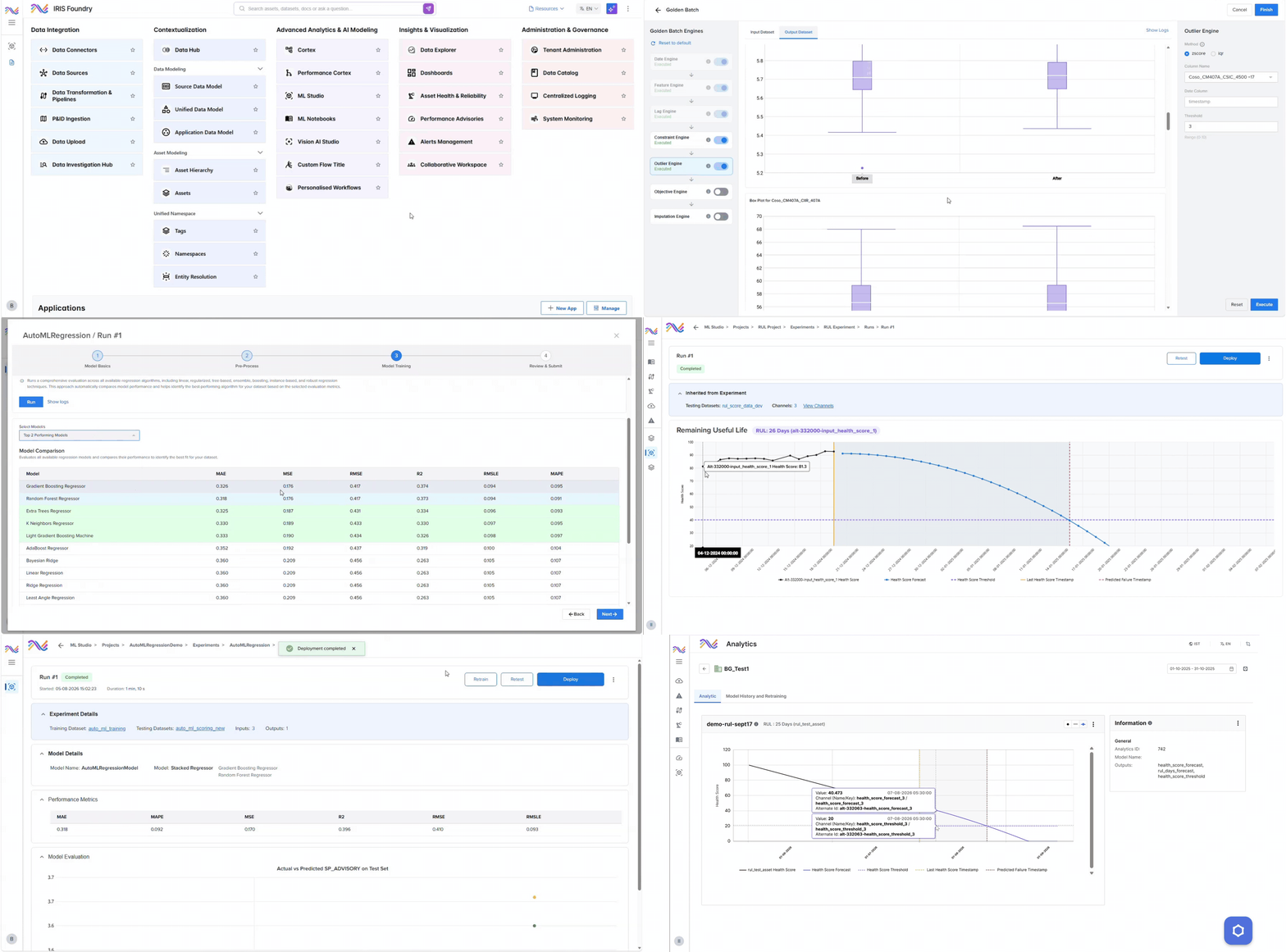
Develop in notebooks or let AutoML do the heavy lifting, train and validate with full experiment tracking, then deploy to the edge, on-premises, or the cloud with one click.
Once a model is live, ML Studio watches for drift and performance changes, triggers retraining, and redeploys the improved version, so every model keeps getting better instead of quietly going stale.
Build faster, deploy anywhere, trust every model
Everything data scientists and engineers need to take a model from first experiment to plant-wide production.
Work in Python and Jupyter notebooks with TensorFlow, PyTorch, and scikit-learn, or let AutoML test and rank dozens of algorithms for you. Reusable pipelines, experiment tracking, and automated validation take the trial and error out of model building.
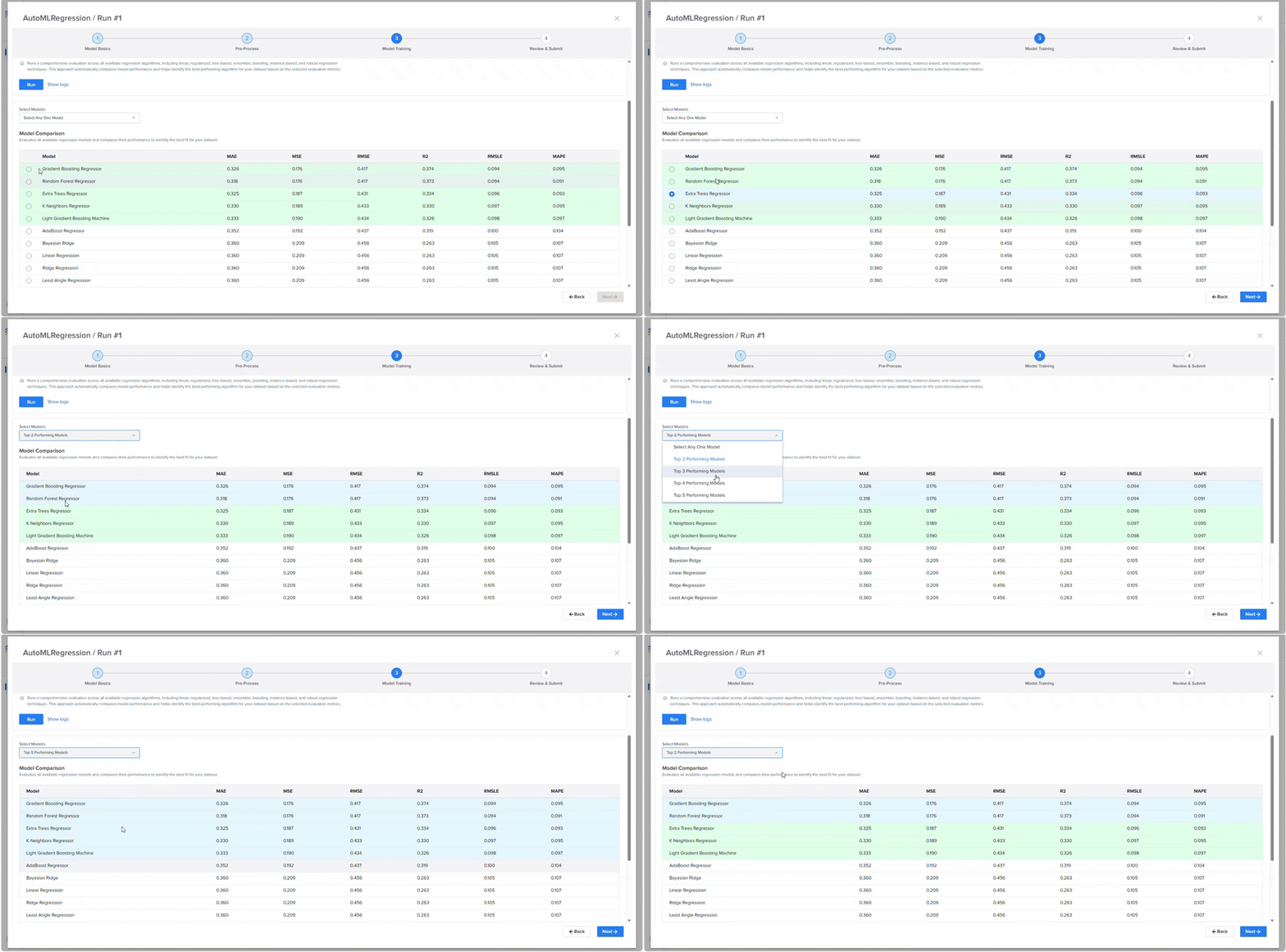
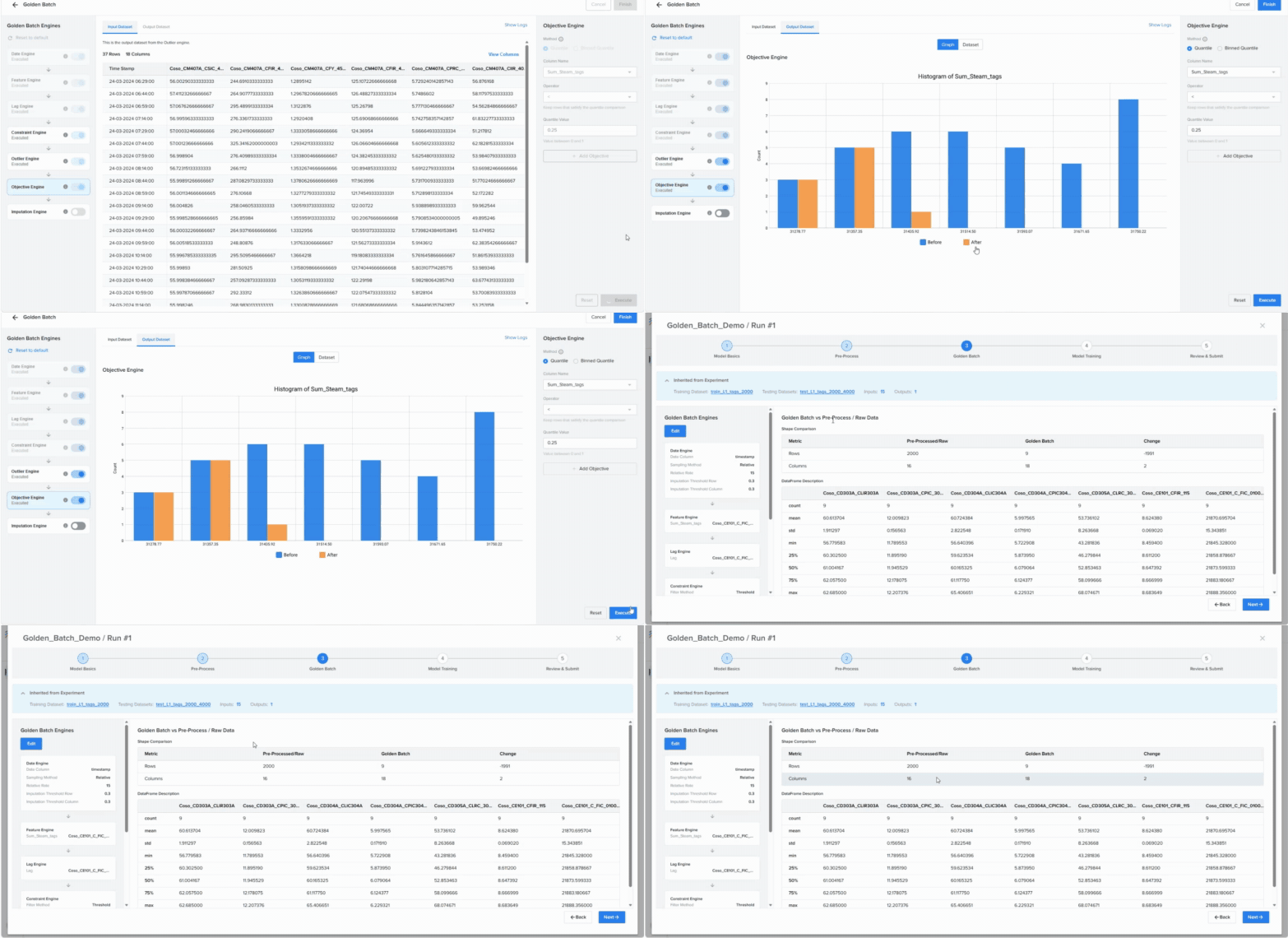
Skip the blank page. Pre-built models for asset health, process optimization, operational performance, and digital twins come ready to configure for your equipment, like Golden Batch, which learns your best runs and steers live batches toward them.
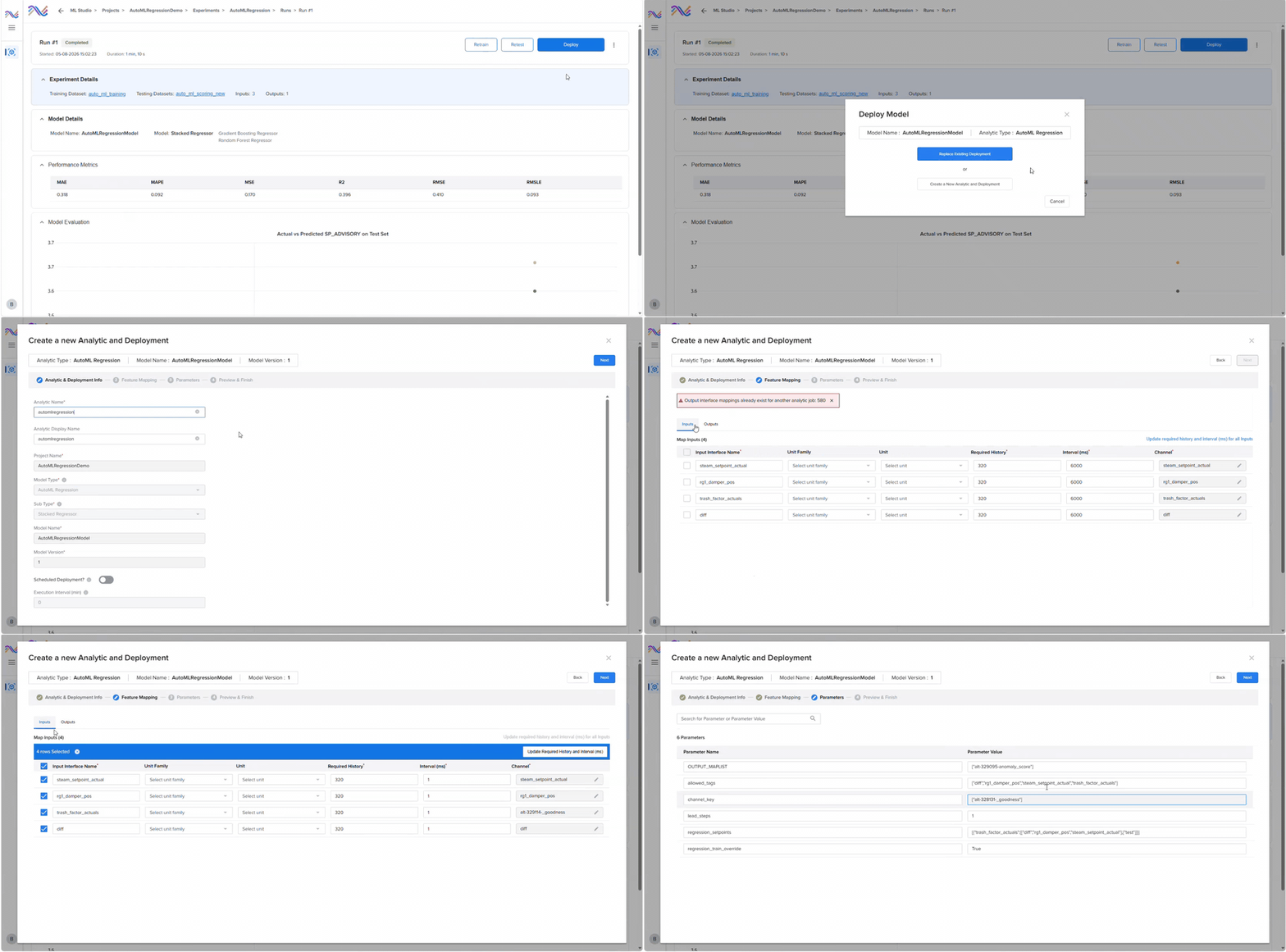
Deploy with one click to the edge, on-premises, or the cloud, and serve predictions in batch, streaming, or real time to the apps and agents that need them. Drift detection, automated retraining, version control, and rollback keep every model trustworthy long after go-live.
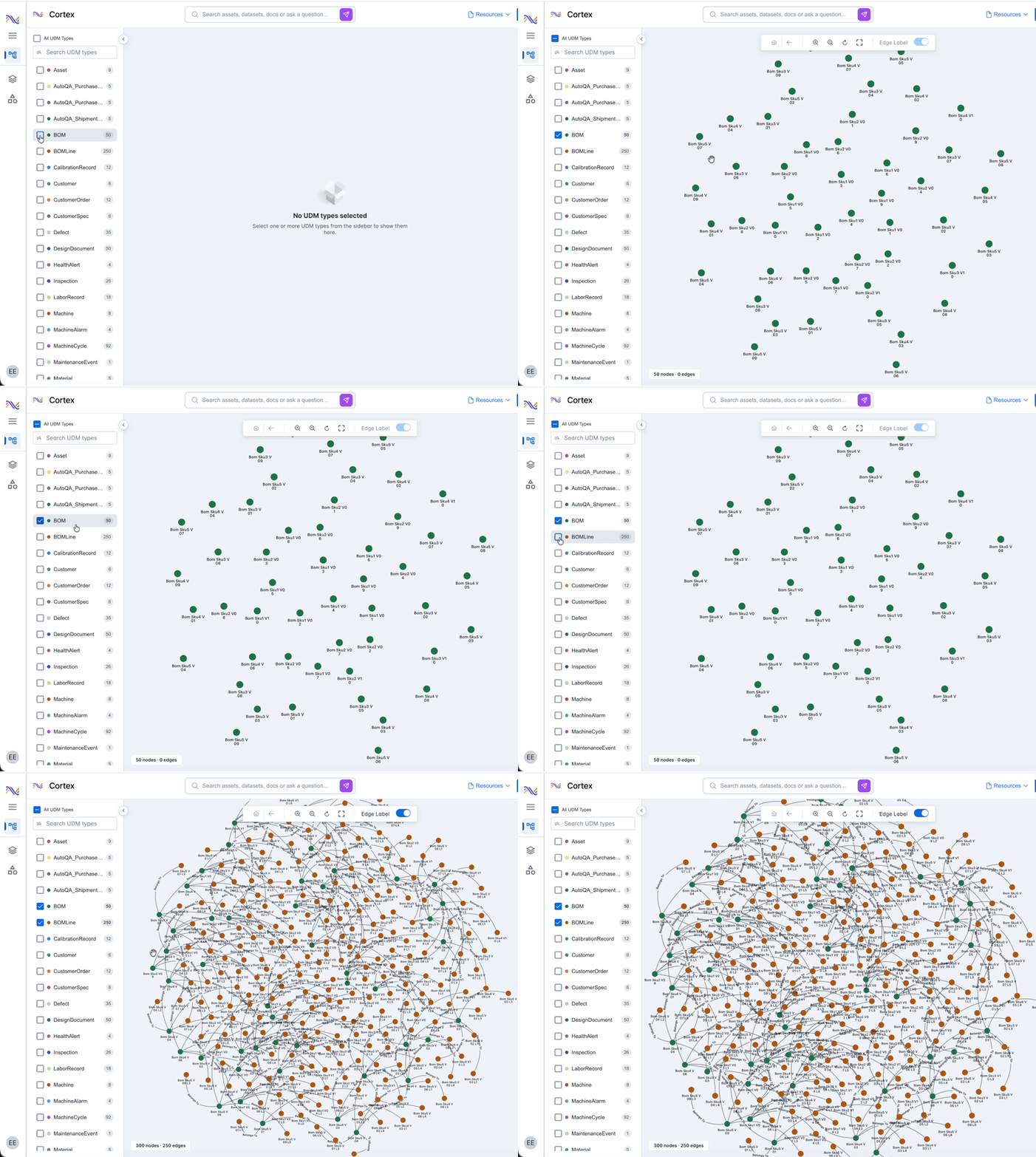
Models connect to the Cortex knowledge graph, so they learn from assets, sensor histories, maintenance records, work orders, and process context, not just raw tags. Variable importance, root-cause analytics, and model lineage show why a model made each call.
A growing catalog of industrial models
Pre-built models across asset health, process optimization, operational performance, and digital twins, ready to configure for your equipment.

Spot anomalies early
Detect abnormal equipment behavior early, even without a long failure history to learn from.

Predict failures and remaining life
Estimate time to failure and the most likely failure mode for pumps, compressors, heat exchangers, and other critical assets.

Run every batch like your best one
Golden Batch learns your optimal process trajectories and flags deviations in real time, while yield and quality models show which variables drive the result.

Cut energy use and emissions
Predict utility consumption, forecast emissions, and track compliance to support sustainability and ESG goals.

Push throughput safely
Recommend process setpoints that reduce bottlenecks and raise throughput while holding quality.

Trust your sensor data
Sensor health models catch drift before it corrupts results, virtual sensors fill in missing measurements, and hybrid physics plus AI models capture how complex equipment really behaves.
Questions about ML Studio
Straight answers for engineering, data, and operations teams evaluating industrial MLOps.

ML Studio is the MLOps engine of IRIS Foundry, SymphonyAI's industrial AI platform. It lets teams build, deploy, monitor, govern, and continuously improve machine learning models at scale. Its predictions feed SymphonyAI applications such as Predictive Asset Intelligence, IRIS Flows agents, and other systems through an open API.
Data scientists get notebooks, popular frameworks, and full experiment tracking. Process and reliability engineers can configure pre-built models and train with AutoML from the ML Studio interface without writing code. Both work on the same governed platform.
Pre-built models span four families: asset health and predictive maintenance, process optimization, operational performance, and digital twin foundations. That includes anomaly detection, remaining useful life, failure prediction, golden batch, yield and quality, energy, throughput, emissions, sensor health, and virtual sensors. You can also bring your own models.
It is built for industrial operations. Models come with industrial domain context, connect to the Cortex knowledge graph of your assets and processes, and explain their outputs with variable importance and root-cause analytics, so engineers can trust what they see.
At the edge close to the asset, on-premises inside the plant or data center, or across cloud and hybrid environments. Models can score in batch, on streaming sensor data, or in real time for apps and agents.
ML Studio monitors deployed models for drift and performance changes, triggers retraining when conditions shift, and keeps full version history and lineage with rollback, so teams always know what changed and why.
Go deeper on ML Studio
Platform context, analyst recognition, and the application that puts ML Studio models to work.
One platform: IRIS Foundry, Forge, and Flows
One unified data foundation, one way to build new AI applications, and one layer of agentic execution, built to work together across your plant.

The industrial DataOps platform that unifies OT, IT, and engineering data into one governed, AI-ready foundation.



Put model building in the hands of your process engineers
See ML Studio working on your own data, with a team that knows industrial operations and machine learning.
