AI that understands your enterprise, not just your data
Enterprise data sits in separate systems, so people and AI never see how anything connects. Cortex Graph brings assets, customer orders, documents, labor records, and shifts into one connected view: a knowledge graph generated from your Unified Data Model (UDM). Cortex Agent reasons across those connections to answer questions that span systems, instead of looking data up one system at a time.
Cortex is not a search tool. It is the context layer your AI reasons on.
Predictive maintenance, agentic workflows, connected-worker copilots: every initiative stalls when the AI behind it cannot tell how an asset, an order, and a shift relate. Cortex Graph gives those systems a structured, governed model of your operation to reason against, and Cortex Agent puts it to work in plain language.
One question, every system it touches
Cortex Agent takes a question in plain language, finds the related assets, orders, documents, and shifts across your Unified Data Model, and renders the connections it used to reach an answer. What took a chain of lookups across separate systems happens in one conversation.
Every object on screen traces back to its source through a governed pipeline, so the answer arrives with its evidence attached. That is the difference between a demo and something your operations team relies on.
From data model to answers you can trace
Cortex turns the relationships already defined in your data into context that people and AI can explore, question, and verify.
Define once in the Unified Data Model how assets, orders, documents, and people relate, and Cortex builds the knowledge graph from it automatically. Asset hierarchies stay in sync as your operation changes, so there is no separate graph project to fund or maintain.
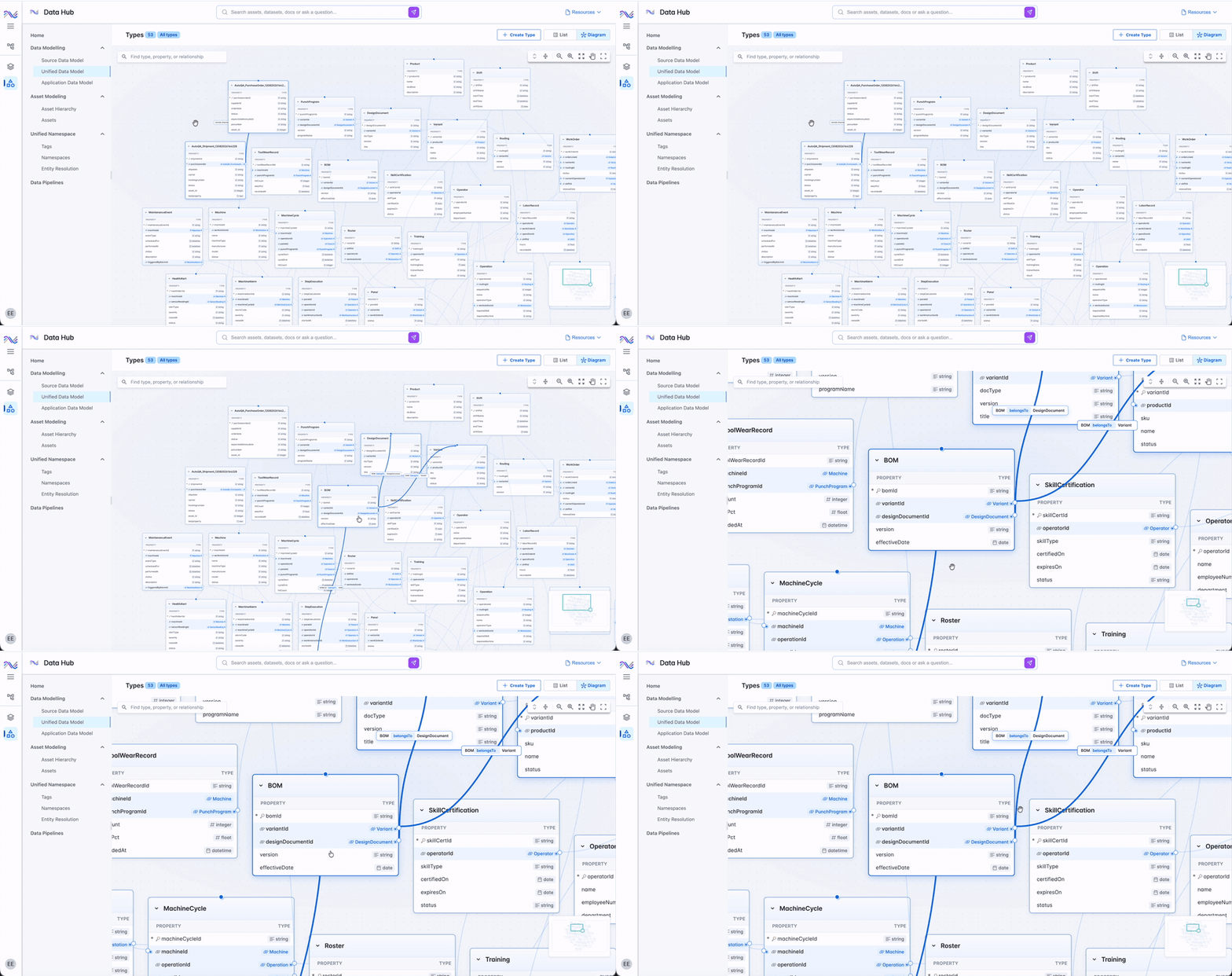
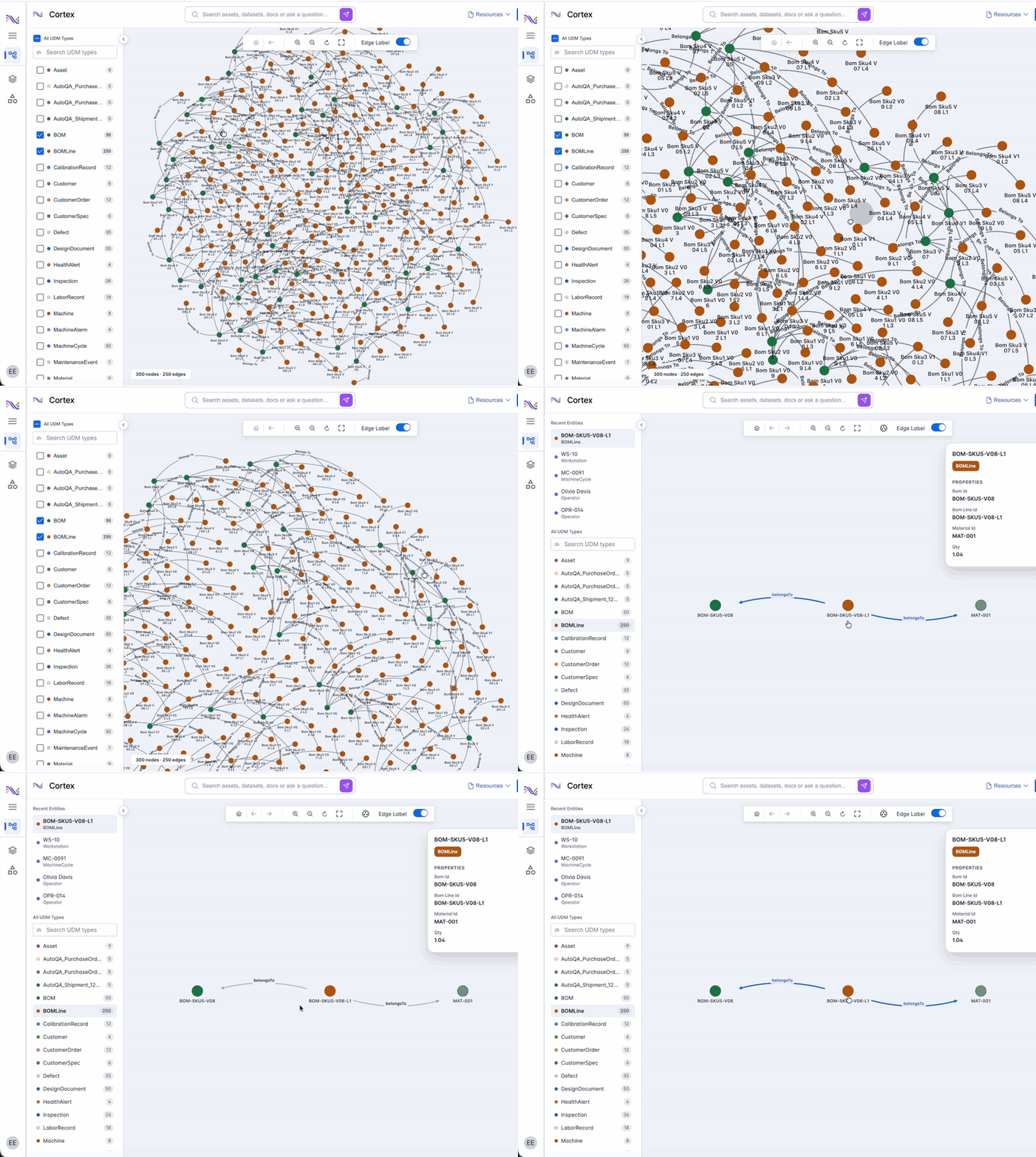
Filter to the types that matter, then double-click any node to see everything it touches. Trace how a part, a batch, or a machine connects to the rest of the operation, and jump straight to the asset details when you need them.
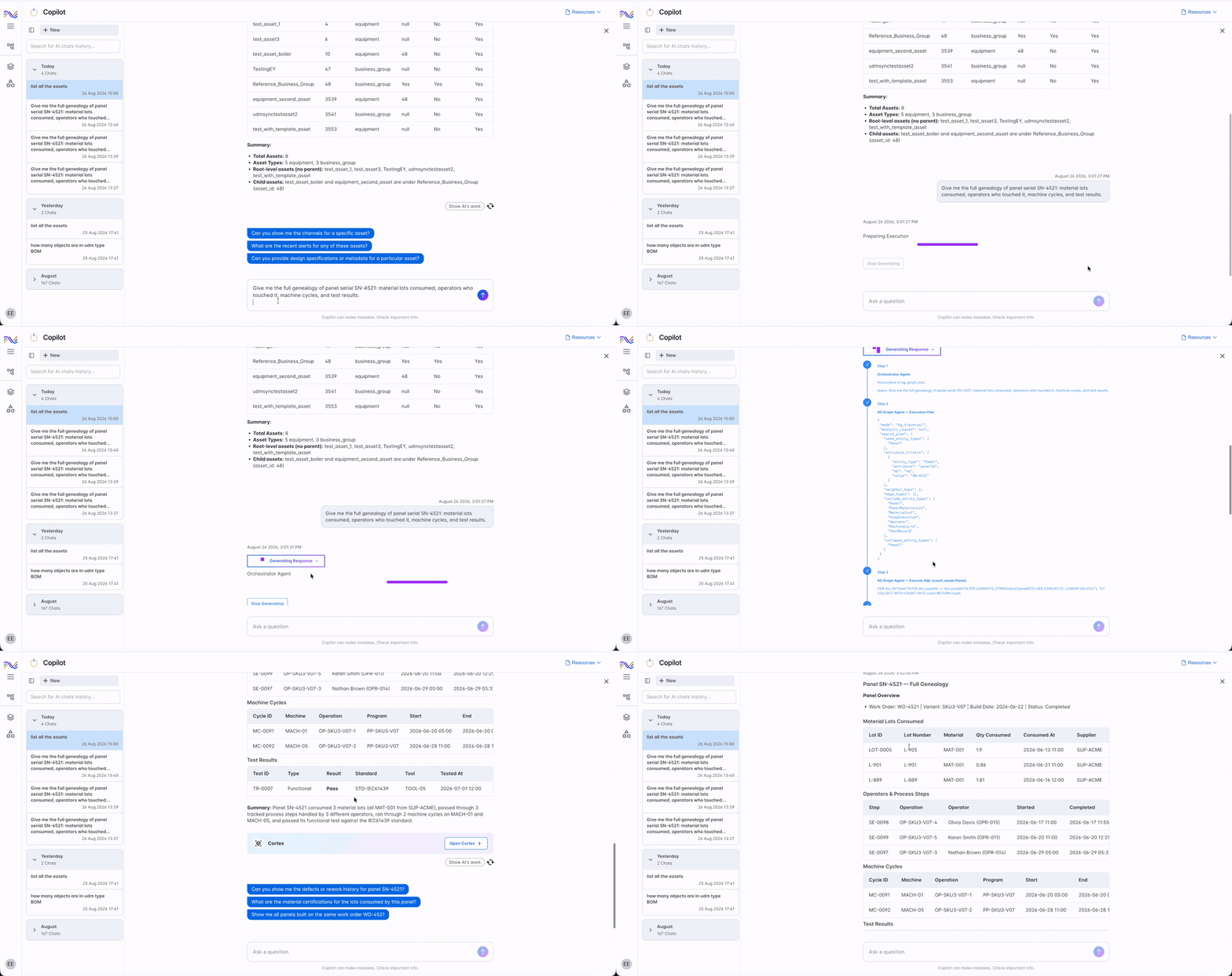
Ask Copilot for the full genealogy of a serial number and Cortex Agent plans the work, traverses the graph, and brings back the material lots, machines, and operators involved in one answer. Harder questions get analysis and recommended actions, not just a list.
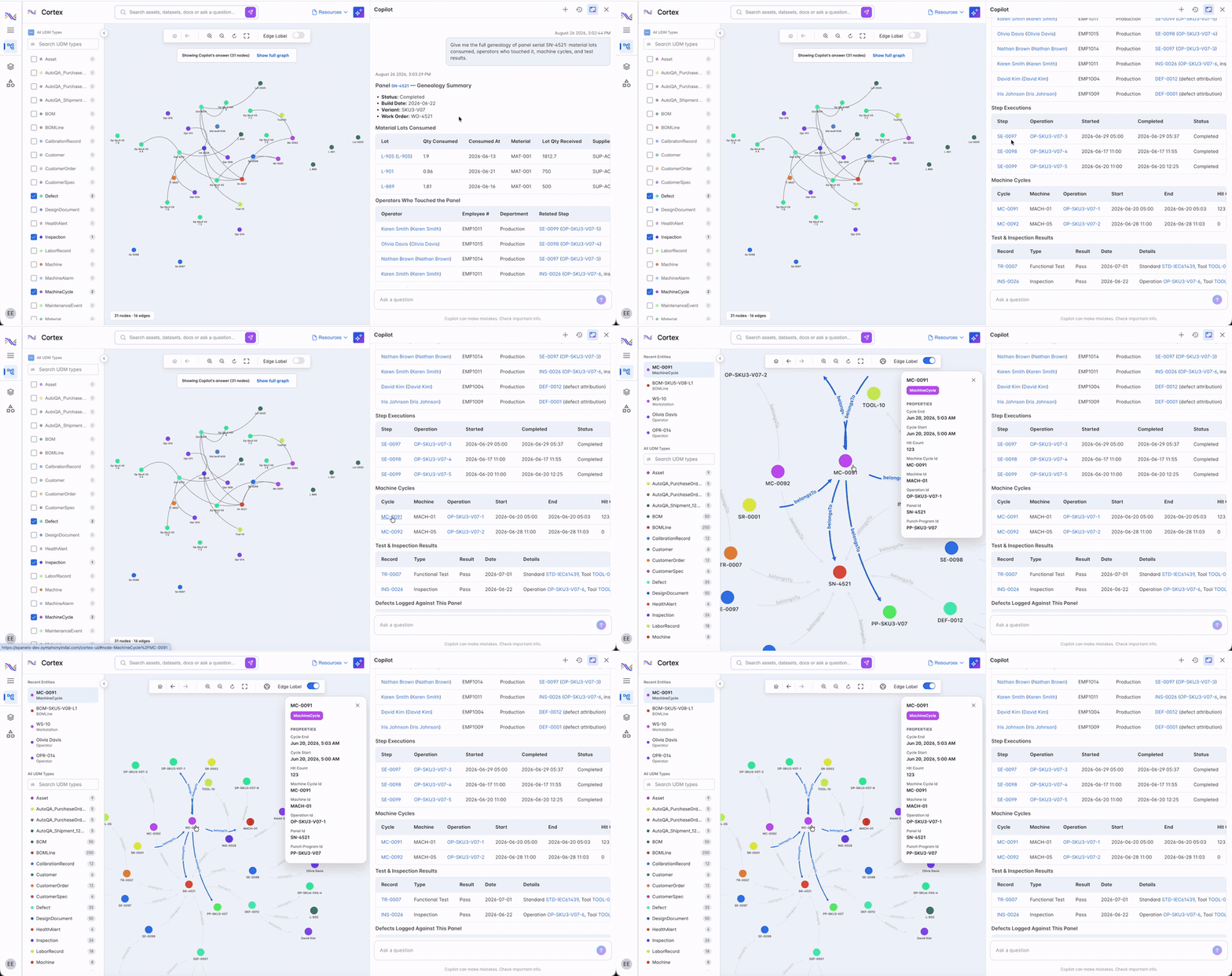
Every item in a Cortex answer links back to its place in the graph. Click one and the graph highlights it along with its relationships, so engineers can check the reasoning instead of taking it on faith.
Explore the graph, or just ask
Cortex Graph is built to be explored visually and queried in plain language, and the two stay in sync.

Interactive graph exploration
Every entity type carries its own color and standardized edge styling, so relationships read at a glance. Adaptive zoom keeps entity names legible as you move through larger graphs.

Filter by UDM type
Display only the nodes relevant to the question in front of you. Filter the graph to specific Unified Data Model types, search types from the navigation pane, and return to recently viewed types in one click.

Focus mode
Double-click any node to reveal its connections and neighboring nodes. The graph centers on your selection as you explore, and returns to the previous view when you exit.

Natural-language search
Full-text search across assets and time-series channels resolves what a question is actually about, matching names, titles, descriptions, and alternate identifiers, then ranking results by relevance.

Copilot and graph in sync
Ask Cortex Agent a question in Copilot and the graph renders the relevant nodes and relationships automatically. Open the graph from a response and it keeps the query context, so follow-up questions stay consistent across both.

API access
Node types, node listings, neighboring nodes, and projected graph queries are all available through the Cortex Graph API, with attribute-level projections that keep payloads small for the systems you build on top.
Questions about Cortex and the knowledge graph behind it
Straight answers for data, engineering, and operations teams evaluating Cortex as part of an industrial AI program.

Go deeper on Cortex
Technical depth and product detail for teams planning a connected data foundation.
One platform: IRIS Foundry, Forge, and Flows
One unified data foundation, one way to build new AI applications, and one layer of agentic execution, built to work together across your plant.

The industrial DataOps platform that unifies DCS, LIMS, historians, MES, and ERP data into one governed, AI-ready foundation.



Your enterprise already holds the answer. Cortex connects it.
Whether you are standing up a Unified Data Model or already running agents on IRIS Foundry, Cortex gives them the connected view they reason on. Talk to someone who knows industrial data, not a generalist.
