See your plant in 3D, with live data, before you change it
A digital twin is only useful while it matches the plant. IRIS Foundry feeds live OT, IT, and engineering data into 3D twins built with NVIDIA Omniverse libraries, so teams can simulate a whole plant or production line in minutes instead of weeks and test changes before they reach the floor.
A 3D model is only as good as the data behind it
Digital transformation efforts stall between data integration, simulation tools, and apps that frontline teams will actually use. Models go out of date, data stays locked in separate systems, and changes get tested on the live process. IRIS Foundry closes those gaps with a unified industrial data foundation, NVIDIA Omniverse real-time 3D simulation and collaboration, and IRIS Forge as the application builder.
From live data to a working 3D app in hours, not months
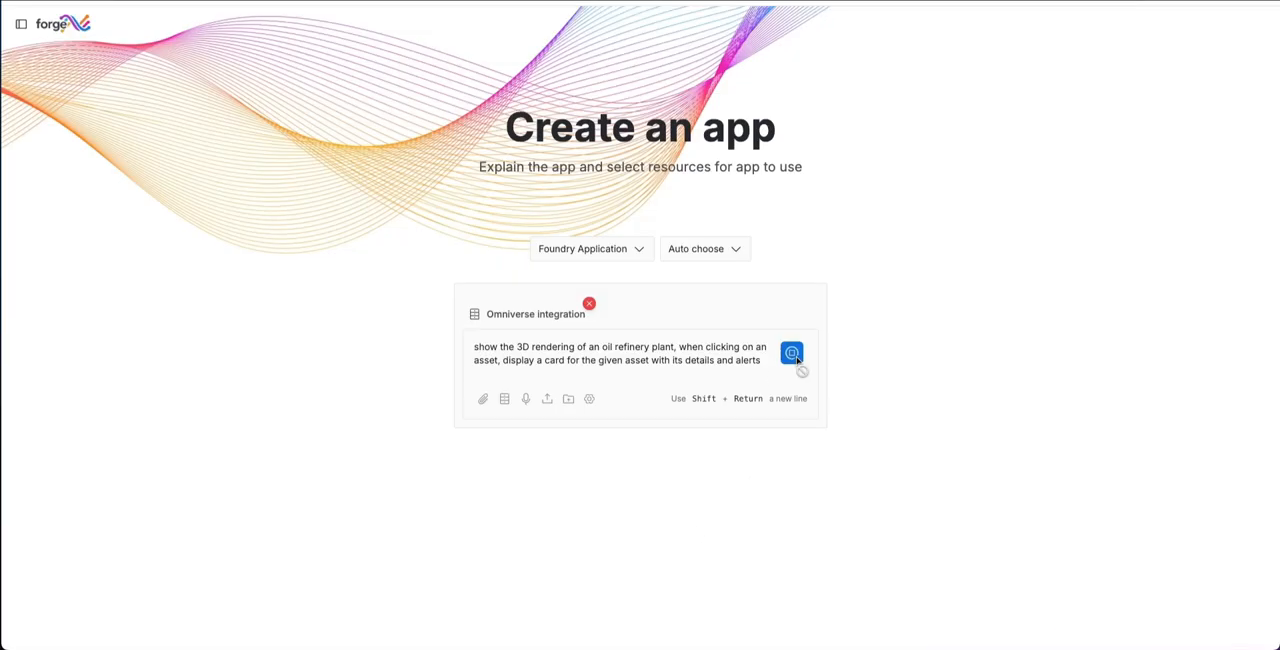
IRIS Forge brings NVIDIA Omniverse libraries into the application builder. Engineers and operators build role-specific 3D apps from ready-made templates, drag-and-drop components, and prompts, with camera integration to speed up twin creation. Every app draws on the governed data in IRIS Foundry, so what you see in 3D is what is happening on the line.
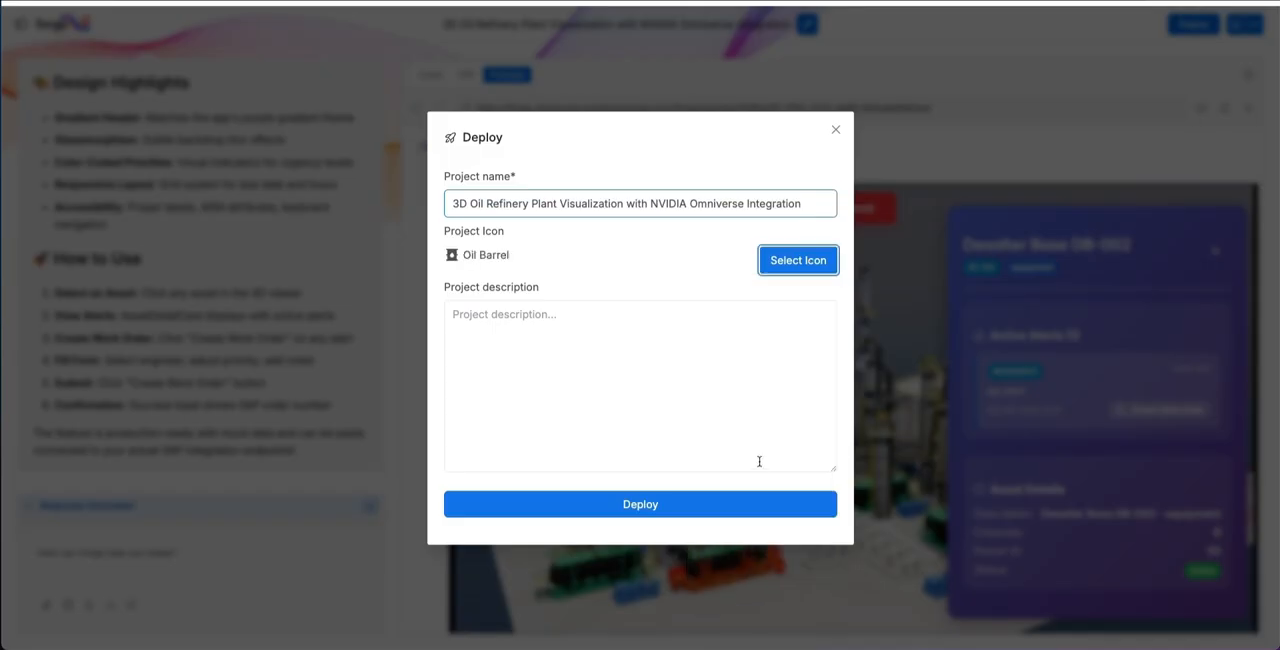
Build once and deploy to Azure cloud, on-premises, or the edge, to match your security and performance needs. OpenUSD keeps 3D models and industrial data interoperable in one environment, and distributed teams can view, edit, and review the same live twin.
From plant data to a live 3D twin
Governed data from IRIS Foundry, NVIDIA Omniverse libraries, and IRIS Forge come together in one workflow.
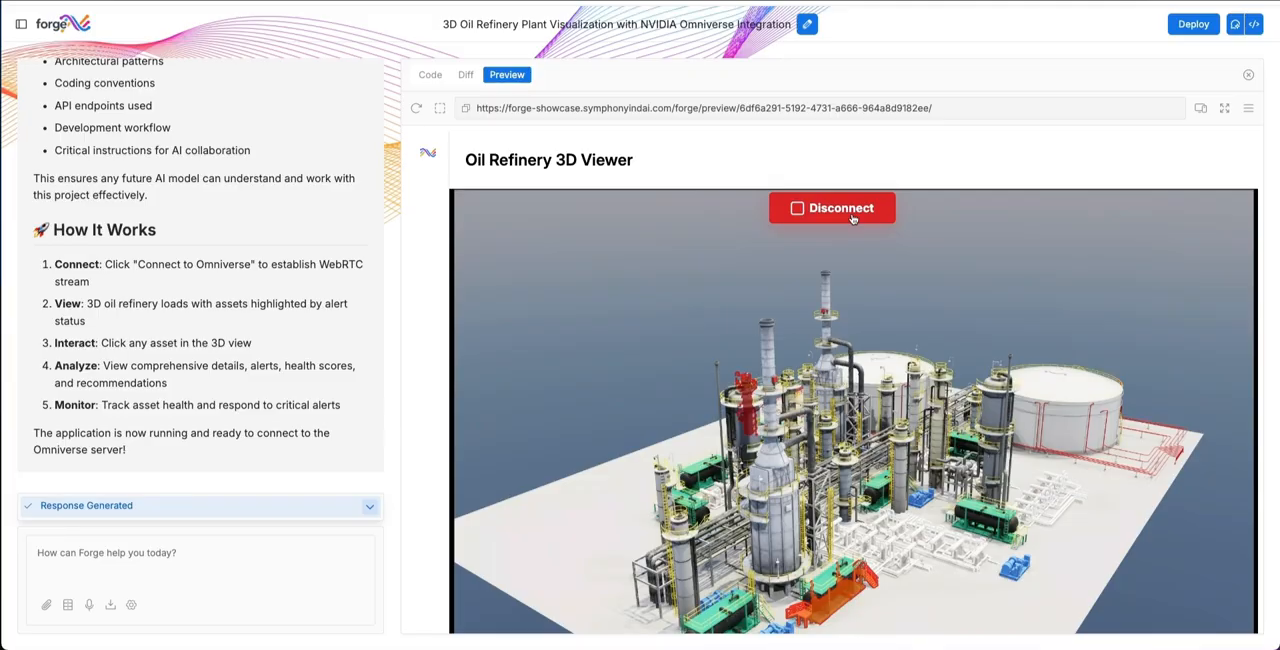
OT, IT, and engineering data from IRIS Foundry feed the 3D twin, so every view reflects current plant conditions instead of a snapshot from the last model update.
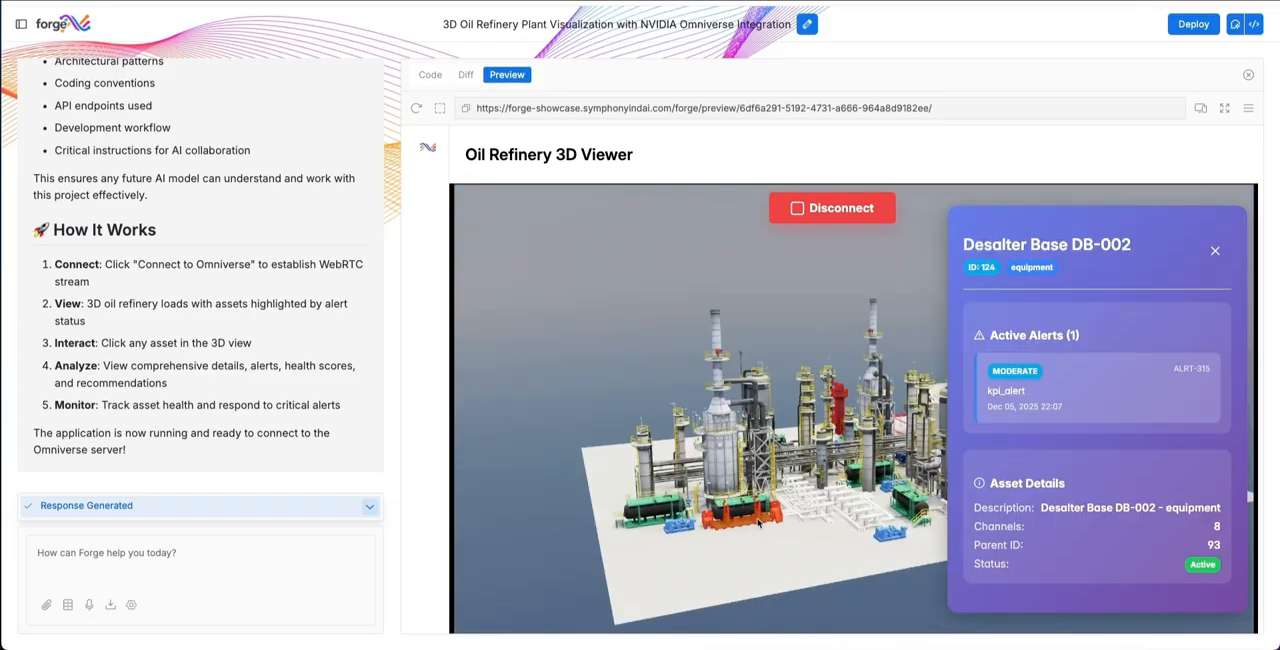
IRIS Forge brings NVIDIA Omniverse libraries into the application builder. Teams create role-specific 3D apps from templates, drag-and-drop components, reusable AI services, and prompts, with camera integration to speed up twin creation.
Model equipment, lines, or full facilities, run physics-informed simulations, and validate scenarios before making real-world changes. Engineers, operators, and analysts review the same live twin together.
Build once and deploy to Azure cloud, on-premises, or the edge. OpenUSD keeps 3D models and industrial data interoperable, so twins grow from a single asset to multi-plant networks.
What teams do with live 3D twins
One platform covers simulation, collaboration, and the apps frontline teams use every day.

Simulate before you change anything
Model equipment, lines, or full facilities, run physics-informed simulations, and validate scenarios before making real-world changes. Planning moves faster and risk drops.

Work from one live picture
OT, IT, and engineering data feed the same twin, so every view reflects current plant conditions instead of a snapshot from the last model update.

Collaborate in one 3D space
Engineers, operators, and analysts explore the same live environment and data stream, weigh changes together, and align on decisions faster.

Build apps for every role
Create role-specific apps for operators, technicians, and engineers from templates, reusable AI services, and prompts, then improve them as needs change.

Put 3D at the point of work
Mobile and tablet-friendly apps deliver real-time alerts, spatial 3D views, and AI recommendations to frontline teams where the work happens.

Grow from one asset to many plants
Twins built on OpenUSD and driven by live telemetry scale from individual assets to multi-plant networks, and new equipment and data sources are added as your environment grows.
Questions about IRIS Foundry with NVIDIA Omniverse
Straight answers for engineering, IT, and operations teams evaluating 3D digital twins for industrial operations.

NVIDIA Omniverse libraries are built into IRIS Forge, the application builder that runs on the governed data in IRIS Foundry. Teams use it to build 3D digital twin apps that show live industrial data, run simulations, and support shared review.
Static twins are built once and need manual updates to stay accurate. Here the 3D twin is driven by live industrial data from IRIS Foundry, so it reflects current conditions and teams test scenarios against them.
No lengthy development is needed. IRIS Forge builds apps from templates, drag-and-drop components, reusable AI services, and prompts, so engineers and operators create role-specific apps in hours rather than months.
It runs on Microsoft Azure cloud and edge infrastructure, and apps deploy to Azure cloud, on-premises, or edge environments. It uses Azure Kubernetes Service for orchestration, Microsoft Entra ID for secure access, and Azure edge runtime for near-real-time processing.
Yes. Model Context Protocol (MCP) provides native connectivity with Microsoft 365 Copilot and Teams.
OpenUSD, which keeps 3D models and industrial data interoperable in a single environment.
Go deeper on IRIS Foundry with NVIDIA Omniverse
Launch details and platform context for teams planning live 3D digital twins.
One platform: IRIS Foundry, Forge, and Flows
One unified data foundation, one way to build new AI applications, and one layer of agentic execution, built to work together across your plant.



See your own plant as a live 3D twin
Talk to someone who knows industrial data and simulation, and see IRIS Foundry with NVIDIA Omniverse working on your own operation.
