IRIS Foundry 2.0 is here: industrial AI that understands your plant

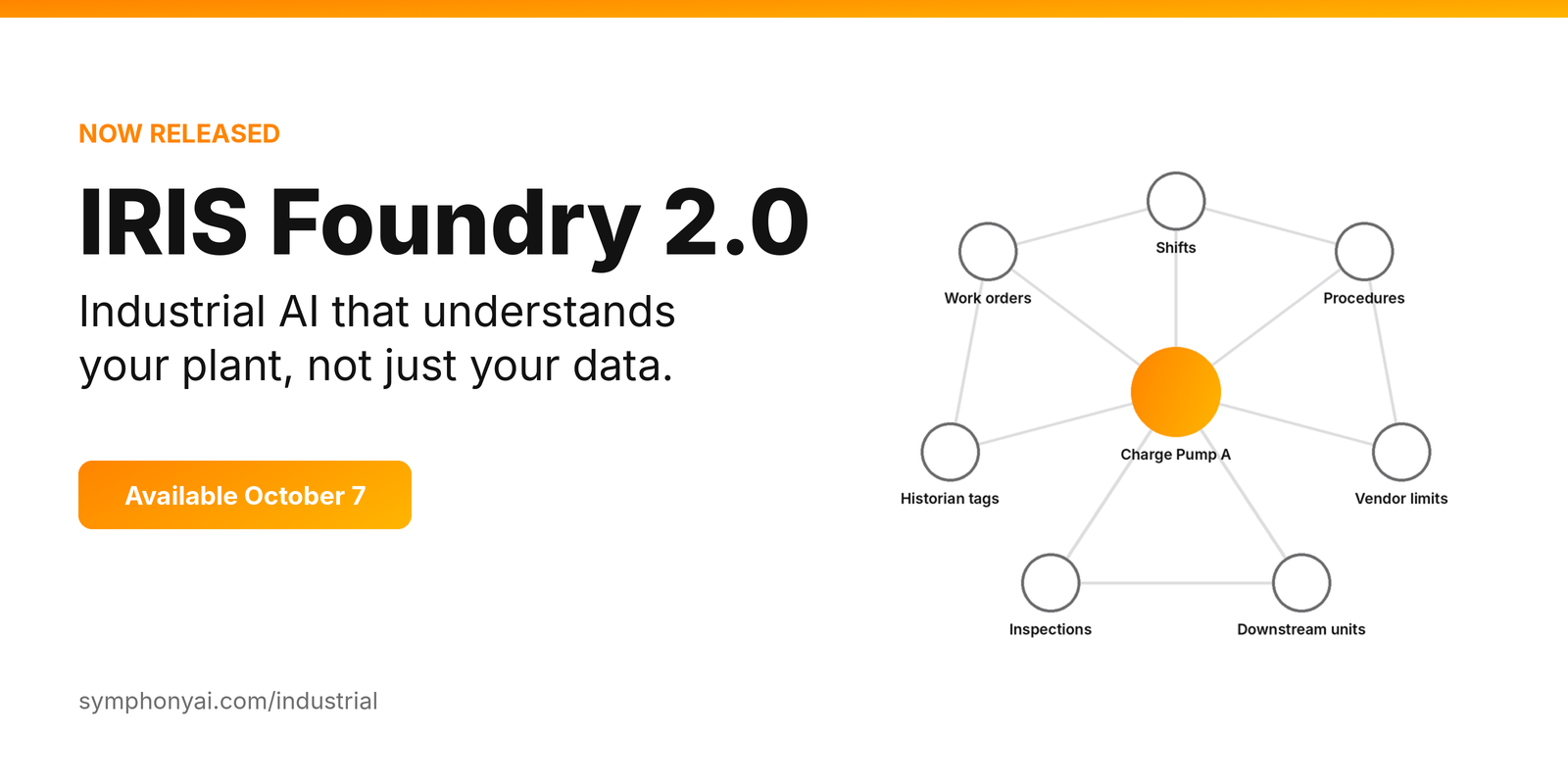
Most plants have a version of the same person. The engineer who knows that one pump is P-204 in the historian, 23-P-0204-A in the ERP, and “Charge Pump A” in the operating procedure. The one who can tell you in ninety seconds what a pressure alarm means, because they have seen it before.
That person is the most sophisticated contextualization engine in the building. They are also one retirement away from being gone.
This is the argument I made in our white paper, The Semantic Brain: industrial AI does not have a data problem or a model problem first. It has a context problem. The data exists. The relationships between it live in people’s heads.
Today, IRIS Foundry 2.0 is released, and it is built to close that gap. It is our industrial AI platform with a connected cortex at its center, agents and copilots that answer questions and show evidence, new predictive models, data-level access control, and a faster path from idea to working app.
What is new in IRIS Foundry 2.0
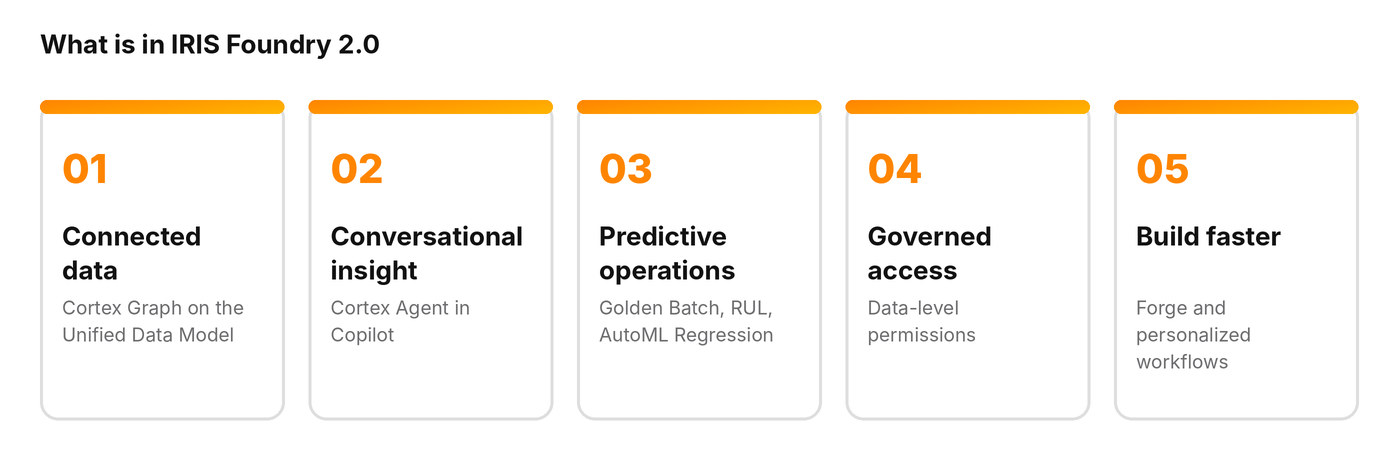
Each piece solves a specific problem I hear from operations and data teams. Here is what each one does and why it matters.
Cortex: an industrial knowledge graph built from your data model
Cortex is built directly from your Unified Data Model (UDM). Assets, time-series channels, orders, documents, labor records, shifts and the relationships between them sit in one connected view. As tabular data is ingested for a UDM type, the matching graph nodes are created, and edges follow the relationships you defined.
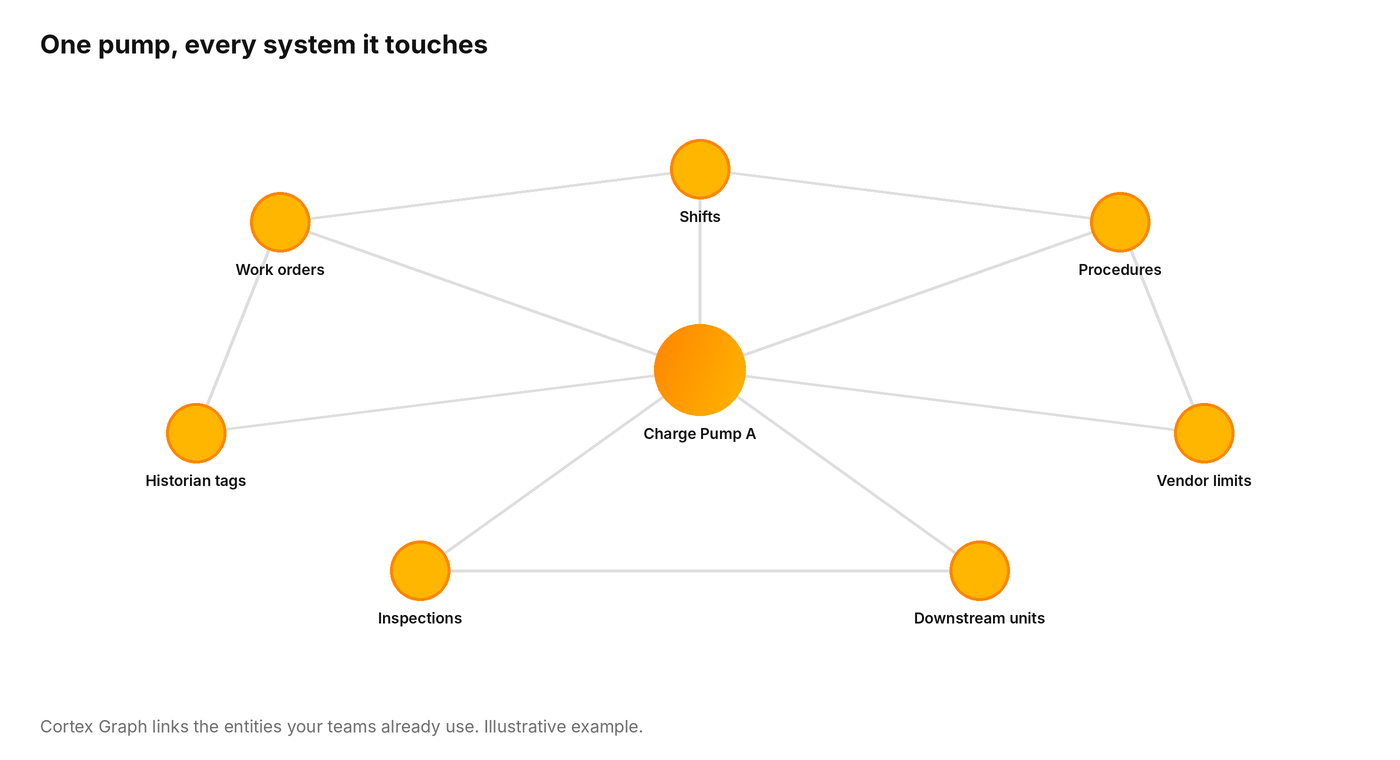
Every object connects back to the data pipeline that produced it, so you can see where information comes from and decide how far to trust it. In a plant, a fluent answer is not enough. An answer has to trace to the tag, the document and the work order behind it.
The explorer makes the graph easy to work in:
- Filter by UDM type to focus on the entities that matter for your question.
- Focus mode: double-click a node to reveal its connections and neighbors, and the graph centers on your selection.
- Search across assets and time-series channels using names, descriptions, titles and alternate IDs, with relevance-ranked results.
- Clearer visuals: distinct colors for each entity type and adaptive zoom that keeps names legible in larger graphs.
- APIs for your engineers: node types, node listing and projected graph queries, so teams can build on the graph directly.
Cortex Agent in Copilot: ask your industrial data anything
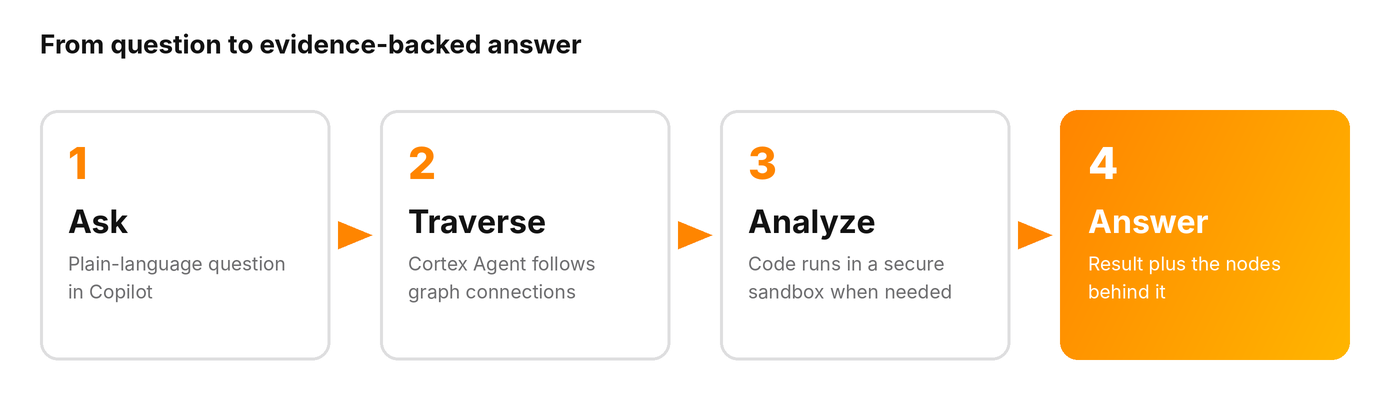
The Cortex Agent lets people ask questions in plain language. Behind the scenes, the language model plans the work and uses a knowledge graph agent to follow the connections, find related assets and information, and assemble an answer. Copilot then shows you the nodes and relationships behind the response, and the graph keeps the same query context when you open it, so follow-up questions stay consistent.
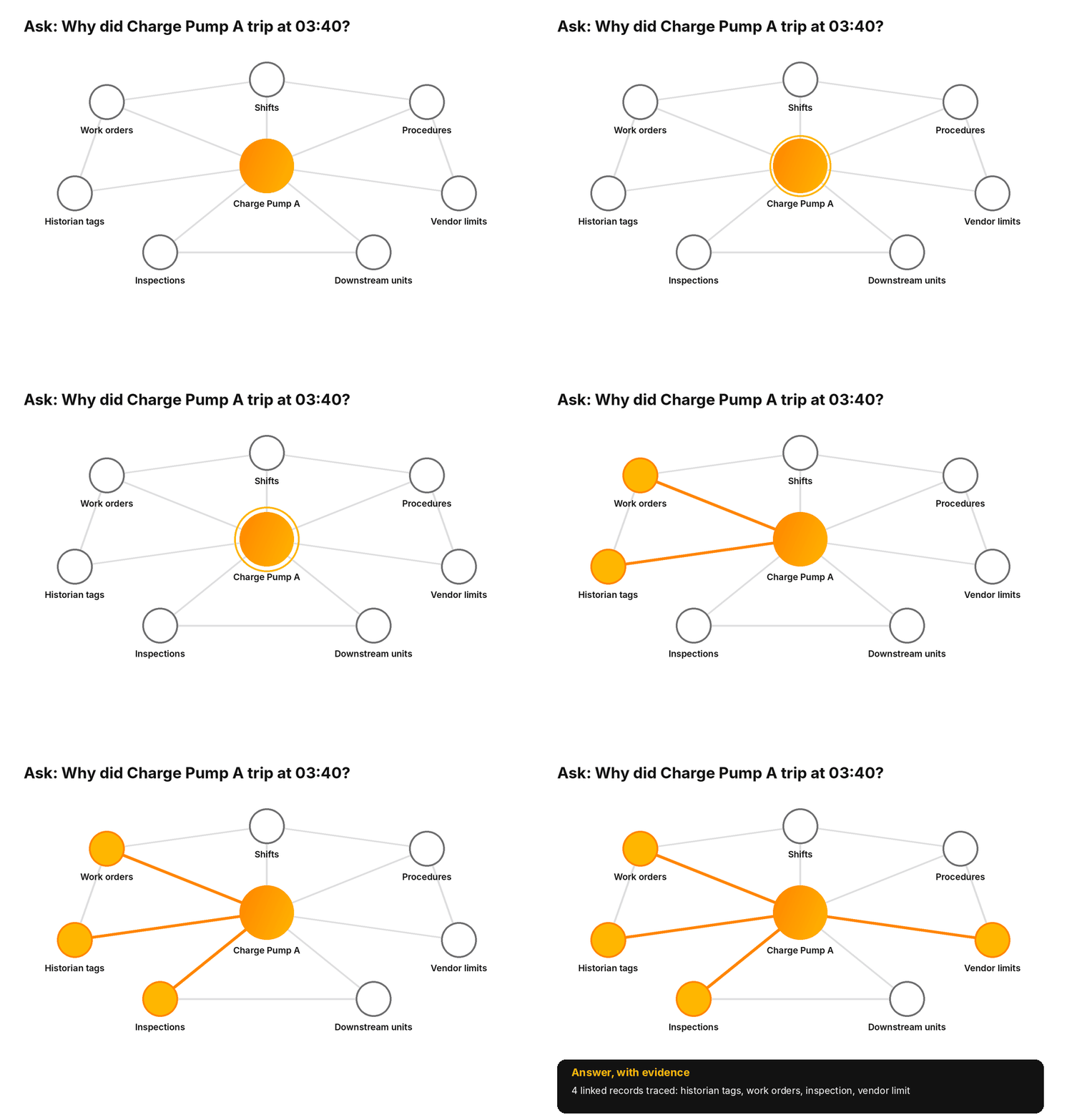
When an answer needs real analysis, the agent goes a step further. It retrieves the relevant data from the graph, writes and runs code in a secure sandbox, and brings the result back into the conversation. That is the difference between finding information and solving problems. Questions about assets, channels, alerts and health scores continue to run through the deterministic flows they always have.
Teams are using this pattern for order and delivery questions, supplier and material traceability, workforce and scheduling, defect root cause and predictive maintenance.
Predictive operations: know before it breaks
Context is what makes prediction useful. ML Studio now includes Golden Batch Optimization and Remaining Useful Life alongside AutoML Regression, which builds a regression model for continuous values such as temperature, energy consumption or equipment life with far less manual tuning. They join the Anomaly Detection Engine, Forecast Engine and Sensor Fault problem types in a single workflow: create an experiment, run it, compare models and deploy.
The goal is simple. Spot wear before the alarm, and guide each batch toward your best outcome, with data scientists and process engineers working in the same place.
Governed access: the right data for the right role
As AI reaches more of the operation, access has to keep pace. Until now, permissions were set at the feature level. IRIS Foundry 2.0 adds data-level permissions that can be set at the plant level for datasets including time-series and tabular data, and assigned to users. The Foundry API layer enforces them, so every role sees what it is entitled to and nothing more.
Build and automate: Forge, personalized workflows and the apps and agents library
The last piece is speed. IRIS Forge offers AI-assisted application creation, versioning, deployment and access control, with an enhanced UI and a VS Code extension for teams that prefer to build in code. Personalized workflows let you describe what you want in plain language, for example “check this channel every hour, and if it crosses the threshold, plot the trend and email me”, and Copilot creates and schedules the workflow. No API knowledge required.
You do not have to start from a blank page, either. Browse the SymphonyAI Industrial apps and agents library to see ready-made apps and agents built on IRIS Foundry, and use them as a starting point for your own.
Why industrial AI needs a context layer
The industry has spent years proving that AI can work in a plant. The harder job now is making it understand the plant, and then making that understanding the standard across every site you operate. A context layer is how that happens. It does not ask you to replace your historian or re-platform your ERP. It connects what you already have and keeps the relationships current as your operation changes.
That is what IRIS Foundry 2.0 is built to do.
Get started with IRIS Foundry 2.0
- Watch the video: Introducing IRIS Foundry 2.0.
- Request a walkthrough of Cortex Graph and the Cortex Agent on your own data at symphonyai.com/industrial/get-started.
- Explore the apps and agents library at symphonyai.com/industrial/apps.
- Read the white paper: The Semantic Brain explains how a knowledge graph turns disconnected industrial data into shared context.
- Join the webinar series for live demos of each capability, registration links available at symphonyai.com/industrial/events.
IRIS Foundry 2.0 is the latest release of SymphonyAI's industrial AI platform. It adds a knowledge graph built from the Unified Data Model, the Cortex Agent in Copilot, new ML Studio algorithms, data-level permissions, and tools for building apps and workflows.
An industrial knowledge graph connects the assets, documents, work orders, people and events in an operation, and the relationships between them, in one queryable model. It lets AI answer cross-system questions and show the evidence behind each answer.
The Cortex Agent answers plain-language questions by navigating the knowledge graph. When a question needs calculation, it can write and run code in a secure sandbox and return the result in the conversation.
IRIS Foundry 2.0 was released on October 7, 2026.